Showing posts with label Apps from other developers. Show all posts

Let's Gamify Goodness


Over the past few months, I’ve been helping someone named Ram with a little side project, and I thought some of you might enjoy it.

Ram runs a mindfulness and meditation site called Ramapani, and he’s been exploring ways to make spiritual practice feel lighter, more playful, and a bit less… solemn. One of the ideas he came up with, and the one I’ve been helping him shape, is something called the World Karma Game.

It’s exactly what it sounds like: a simple, daily invitation to do something kind, log it, and watch the world’s total karma tick upward.

No accounts. No ads. No leaderboard of who’s “most spiritual.”

No tracking. No Cookies.

Just a gentle nudge toward doing one good thing a day, and a shared counter that grows as people contribute.

I liked the idea immediately. It’s small, it’s human, fun, and it’s the sort of thing the internet could use more of. So I’ve been helping Ram with some of the writing, the structure, and the general shape of the experience. Nothing grand: just a collaboration on something that feels wholesome.

If you’re curious, you can try it here:

https://ramapani.com/page/wkg

It takes about ten seconds to participate. You do something kind, anything at all, and you add a point. That’s it.

What I love about it is how uncomplicated it is. There’s no moral scoreboard, no pressure to be perfect, no spiritual posturing. Just a tiny daily reminder that kindness counts, and that even the smallest actions add up when enough people take them.

Ram’s wish (and mine, if I’m honest) is that the counter eventually reaches one million. Not because a million is a magical number, but because it’s a symbol of what’s possible when lots of people do small things consistently.

Anyway, I don’t usually post here these days, but this felt worth sharing. If you’ve been part of this blog at any point over the last decade‑plus, you’ve already contributed more goodness to the world than you probably realise. This little project is just another way to keep that spirit alive.

If you try it, let me know what you think. And if you add a point, thank you, sincerely.

~ A collaborator

BirdNET

This is just a quick post to share my latest favourite app - BirdNET

During this lockdown in the UK, I have spent much more time than usual sitting in my garden, listening to the beautiful birdsong around me and feeding the various, kind, feathered visitors. In fact, colleagues and friends often comment on the birdsong in the background of my Zoom and MS-Teams meetings. I must admit, I know nothing about ornithology, and to my shame, I decided to do something about it.

Simply open your microphone when the birds are singing!

BirdNET is an acoustic monitoring app that lets you detect birds in the vicinity. You simply open the app and let your microphone record all the ambient birdsong around you. Once you have a few seconds of bird song recorded, the app analyses the sounds, and reports you with varying degrees of confidence which birds have been recognised. 


BirdNET has done a good job of detecting several frequent visitors to my garden, although I am sure I have seen emus and archaeopteryx today...


You can also track your observations on a map and explore the area around you. Visit the website for more information on how it works or to download the Android app.

BirdNET is partly funded by the European Social Fund for Germany, German Federal Ministry of Education and Research and is supported by the Arthur Vining Foundation.

Plus one geek experience point is awarded each, to Stefan Kahl, Shyam Madhusudhana and Holger Klink.

The software wasn't fooled by my attempts at whistling a tune. I won't say what tune.

If you like this stuff, then you might like this stuff too!

Lunar Eclipse Jan 2019

This morning, I woke up at 4am, dragged my geeky body out of bed, grabbed a coffee and braved the freezing Yorkshire air to observe the eclipse.

Our ancient ancestors had various explanations for the eclipse or blood moon. The Chinese thought that an eclipse was caused by a giant cosmic toad-like dragon; the ancient Mesopotamians though that it was an attack by demons; the ancient Mayan civilisation thought that the moon was eaten by a jaguar; while the Egyptians assumed it was a beastly cow that was to blame.

Although we now know that a lunar eclipse is caused by the full moon crossing the plane of the ecliptic, the explanations of demonic animal attack described above are still more accurate than the best explanations of the most gifted flat-earth astronomers, who, to date, have failed repeatedly to provide a model for their flat earth belief. Although it is lamentable, that 2% of the population claim to believe that the earth is flat, this is not a post about how wrong flat earth supporters are. If you want to read about flat earth, I suggest this post.

I wanted to create this post to show the two apps I use for predicting eclipses, one old, one new, or in other words, how did I know that I needed to wake up at 4am this morning (and not as my colleague put it, 'I was coming to work this morning and I noticed that the moon looked a bit funny')?

My trusty go-to eclipse app on the BBC Microcomputer
The first app is 'eclipse' for the BBC Microcomputer. It reliably predicts lunar eclipses, even showing start times and end times with a graphic. The image shows the path of the moon (small circle) through the Earth's shadow (big circle). I still run this on my trusty BBC Micro. I think that it came on a Beebug magazine once. I am always impressed with its accuracy (EDIT image shown is NOT from this morning).

The second is Eclipse Guide developed by Vito Technology, Inc. who also developed the wonderful Sky Walk 2 app. This app is ostensibly a new and improved version of the app above, with better graphics, maps and a bit more information, oh and you can carry it around in your pocket.

Eclipse guide, showing handy information, such as when you need to go outside to freeze and when you need to get excited and tell people who are currently inside to come outside, and when to tell people that it is too late, they have missed it.

Skipping ahead to the near future, this is the app with details about a future solar eclipse, unless you are reading this in the future and the eclipse has already happened.
Well, that's it for today, suffice to say that the eclipse was a beautiful sight to see and I am looking forward to the next one, albeit partial on the 16th July.

If you are sticking around and have nothing better to do, then you might like to look at some similar posts from the history of this blog.

Lines

I love simple and beautiful puzzle games, and this one is my favourite at the moment.

Lines by Leo de Sol Apps
In Lines for Android, you must race to 'flood-fill' more of the screen than the computer. The gameplay involves selecting a point on the line for your coloured paint to start filling. The colours then race each other as they run down the lines with apparent minimal viscosity. If you have filled more of the screen than the computer, then you win, and you get 'medals' with which you will be the envy of your friends.


When coloured paint collides there is a piano stab sound effect which adds to the game's ambience. Not only is this puzzle a great way to challenge your brain, but it is beautiful as well. It is what would happen if the gods of geometry had a race. Ok, I don't think that mathematics has gods, but if they did...


There are multiple modes of play which get unlocked as you defeat different levels. The main mode of play involves choosing one or more points on the line to start from. In 'Eraser' mode, you get to remove one or more of your opponents starting points, you meanie! In 'Rope' mode you have to add one or more of your own lines to create short-cuts in your race against the opponent. In 'knife' mode you must cut the rope next to your opponent to strategically and dastardly stop him from filling your own region of the map. I haven't unlocked any more than that, however, there is also a 'paint' mode, and a 'mixed' mode which presumably requires you to do combinations of the other skills, such as cutting ropes as well as adding new lines.

There is a daily challenge to keep you entertained for longer, as well as a series of challenges for the dedicated Line player to test themselves against.


This simple but fun and beautiful game does have a few drawbacks. Some of the levels are rather easy to complete, but then again, I have only just started playing so maybe the challenge ramps up later. Secondly, the advertisements do come fairly thick and fast, which I know many people find annoying.

Overall, a great game to help keep your brain ticking over: +1 Geek Experience Point for Leo de Sol Apps.

If you haven't already left this page in a huff, then you might be interested in some other posts tagged with the word 'puzzle', or something completely different.

StoryBoard

StoryBoard is my current favourite toy at the moment. StoryBoard helps you create awesome comic-book-style images in seconds whilst simultaneously requiring you to have absolutely no talent whatsoever... Currently available as an experimental app by Google for Android, StoryBoard allows you to load a video or gif image; the app then strips out individual frames as stills which it then applies artistic filters to make it look like a comic strip.


The processing all happens on your device, so you do not have to worry about upload times, or waiting for server time etc. Another good thing is that it does not try to add any frivolity to the image - no speech bubbles or 'kapows' or 'kersplats' - which would be someone distasteful..


The whole process is ludicrously easy. You simply select a video or gif and then wait a few seconds for the algorithm to select a few choice frames, There are half a dozen or more different filter styles and if you don't like the current selection a simple tap or swipe will generate a whole new different one.

And, well that's about it. I do hope you have fun making your home videos look like they belong at the start of an episode of Grange Hill.


Really Bad Chess

Really Bad Chess is an interesting take on an old favourite. It is chess but with random pieces, in random positions. Need three bishops and 10 knights? No problem.

A pawn on the back row? Why, of course, you can.

You can forget about memorised openings here. Chess pieces appear at seemingly random positions. At first, it may seem like a trivial version of chess, however, this game really gets you thinking about how to play. It flips chess on its head, but in a way that will help you understand the game better.

Really Bad Chess has a number of modes of play. The standard ranked mode starts off easy, with you being assigned a greater proportion of good pieces. In the image above, for example, white starts the game with four queens to black's zero. The more you play, and the more you win, then the more the algorithm flips the advantage to your opponent. This makes for a great introduction to chess for newcomers to the game. You can really focus on how your pieces move and interact without worrying about being crushed in a few moves by a powerful AI. Conversely, the 'freeplay' mode lets you choose the difficult at the beginning.

'Daily board' and 'weekly board' challenges complete the package, both letting you compete against other players in beating the board. There is even an option to turn off the AI and have a board to play against a nearby human if you know any.

In summary, I really like Really Bad Chess, and I think I'll keep using it to help me train.

+1 Geek Experince point for Zach Gage and Noodlecake Studios Inc.

If you are still here, then you might like to read our other chess-related posts.

The worst game I've played in a long while

I was going to call this post "Is this the worst game ever?", but it sounded like click-bait.

The Station in Dig Station is a big dig station.


Dig Station is a game for Android. The blurb states:

"Manage little station on the alien planet. Get upgrades and go for adventures!".

 It sounded fun, but one of those statements is a lie.

You start the game with a little dig station, and after a short period of familiarising yourself with the controls (there is no tutorial) you discover the main mechanic of this game - the counter in the top right indicates how much stuff your station has gathered. Soon you discover that you have to upgrade your main drill. Doing so increases the rate at which you get stuff. Everyone likes games where you get progressively better, even if it is just the rate at which you gain yellow numbers, right?

One of several upgrades in the game.

Once you have gathered 2000 'thingies' you get to further upgrades to your little station, such as hull, hydraulics, electronics, etc. The names matter little: each one does nothing but increases the rate at which you can mine 'wotsits', and by this stage you are craving ever more and more of their yellowy, numerical goodness.

After a short while you discover that this game is going to reward you for interacting with it in various ways. Soon you have devoted your entire evening to clicking the upgrade buttons rewarded each time by the counter of 'thingy-jigs' spinning over faster and faster.

After a while you have become a junky to collecting yellow numbers. You need ever higher orders of magnitude for the next upgrade and so you devote even more of your time to gathering the yellow 'somethings' required by the game. You discover that you can increase the productivity of your station through a number of ways. For example, 'click this button one hundred times and you increase the productivity by 1%'. So you do it. You actually spend the next two or three hours of your life pressing a button hundreds of times to get incrementally faster rates of 'whatchamacallits'.

You are an addict now. You will willingly accept the 'advert' button just to get ahead in the game.
Now, I don't mind 'clicker' games, if they are done well. In my thirst for ever higher mine rates in Dig Station I thought I was enjoying myself. I thought that this was a good game with an interesting mechanic. I thought I was going to be rewarded for all of my efforts. I thought there was going to be some sort of pay-off for ever-higher orders of magnitude.

I was wrong.

The developers lied. There is no pay off. No reward.

They promised 'adventure', but there was none. The game has no challenge to it at all. You simply progress through the game by giving it more and more of your time.

Eventually you have gathered an arbitrarily large amount of yellow 'numbers' and the game gives you the option of progressing to the adventure. So you do...


... but first you have to press a button one hundred times....

So you do.


Then the planet explodes. GAME OVER.

You do not even get a chance to continuing playing some more, nor start over. And worst of all, the 'adventure' you were promised from the start does not occur. the game just...stops.

I was left with a feeling of loss for the several hours of my life I had dedicated to clicking buttons on my screen for what turned out to be simply a vehicle for adverts.

This game is click-bait. Literally and figuratively.

It isn't the worst game ever. The graphics have a lovely retro feel and if you really want to waste four or five hours of your life, then there are worse ways, but the developers have been disingenuous in their description. I can't help but feel disappointed and fail to see the funny side of the time wasted.

If you want to play a good 'clicker' - one that rewards you with challenging puzzles and a real sense of the game developing, then do try Candy Box if it still exists. For a great 'digger' game with a rewarding end (and the ability to carry on doing what you want even when the game ends) then check out Motherload on miniclips.

Minus one geek experience point awarded to C6H6. I've never taken geek experience points away before, and I wouldn't do so just for a poor click-baity game, but if you read through the developers comments to poor reviews in the app store, then you will see why these developers need their geek status reducing.

That's all for now. Rant is over, but if you are still will us, then you might want to read about that time I found Usbourne's book of Computer space games from the 80's; or you may be in the mood to waste your time in a fun and rewarding way.

Can I look after a goldfish?

The short answer is no. Good bye!

Still here? Oh, well, you see I would love to look after a living creature, but unfortunately I would be a bad parent. I would forget to feed it, or neglect its little tank and turn its environment into a dank, poisonous and murky abyss even worse than Darlington. With this self-realisation comes wisdom though, for now I seek my animal companionship through virtual pets.

My current favourite is iQuarium by Infinite Dreams for Android.

My pet fish, John.
This is a really beautiful app. The fish looks very lifelike and the developers have clearly spent a lot of time making the fish move like a real animal. Unlike in many virtual pet apps, there are no gimmicks. You simply have to remember to feed your fish each day and that's it. There are no daft games to play to increase its 'happyness', and no muck to clear out. Each day you just get to watch your fish swimming around its virtual world. It is very relaxing.

The way you treat your fish will affect its personality, apparently. I do not know if this is true, or not, because so far I have been treating my fish very well. John is a seemingly happy and well-adjusted four-week old fish.

You can interact with your pet. If you press on your screen he will follow your finger. If you tap him he will turn and stare at you. Other than that, your fish is its own person and will do its own thing.

The longer you keep your fish, the more points you score. Various new artifacts, plants and backgrounds are available the longer you play.
Here you can see John hard at work coming up with ideas for his own blog.
If you are looking for a realistic fish simulator with no gimmicks then to look at iQuarium for Android. It is a shame that there is no Windows 10 version though.

+1 Geek experience point awarded to Infinite Dreams.

If you are still here, then you might like to read all about that time I was the god of my own planet, or have a look at my other virtual pet posts.


DesignEvo

Candy from PearlMountain got in touch recently and asked me to do a review of DesignEvo. I don't often get asked to review software. I prefer to showcase stuff I find interesting as and when I find it myself, but Candy asked nicely, so here we go.

DesignEvo is a very easy to use tool for creating vector logos. After a brief tutorial you are deposited on a blank 500 x 500 canvas with three tabs one the left hand side. Candy promises me professional looking logos in seconds and she doesn't disappoint.

A very intuitive interface with over one million icons available through search.

There are three main elements to your design: Icons, text and shapes. These can then be freely arranged on your canvas. I had a go at creating a new logo for HaveSpellWillTravel. I started my stop watch at the end of the tutorial and I had produced the following design after 48 seconds.

Let's check those credentials again. "Professional-looking logo" - CHECK. Created in seconds - YOU BET! 48 seconds in fact.
Some really nice features include:

  • Dotty green guidelines on the canvas to help you position your stuff.
  • The ability to download your logo - for FREE in JPEG, PNG and transparent format, although they do ask that you credit the source back to DesignEvo, which I guess is only fair. A link along the lines of: Logo made with DesignEvo is required.
  • The preview feature allows you to see how your logo as it would appear on your headed notepaper or tee-shirt.

See how your logo would look on your employees' chests, or in the foyer of your HQ in Silicon Valley. 
Our review summary: This is a really easy to use tool that would be perfect for school projects.

Our rating: 5/5 and +1 Geek Experience Point for PearlMountain.

If you came here looking for logos, then you might like our reviews of other logo software. If you just parachuted in looking for something fun, then you might like this stuff or that stuff. Either way, I'll see you soon for more geeky stuff.

Castle Defender is a brilliant new game for the BBC micro

Every now and then a new game is developed for vintage computers. Built by computing enthusiasts these games are often better than the original offerings from the time that the machines were first popular, or include titles and ideas that come from the modern age.

Castle Defender is the BBC micro's first ever tower defence game, and it is really very good. Programmed by Chris Bradburne with graphics by John Blythe, this game is superbly well written and designed. The graphics are stunning and the game play is addictive. I have been playing all morning, with admittedly, a pathetic high score of only 40% to show for my efforts.

A hoard of orcs and goblins storm my castle defences on the BeebEm emulator.
The aim of Castle Defender is to protect your castle from the waves of computer controlled 'nasties'. You build towers at strategic points along the way to shoot your enemies to death. There are three different types of weapons which can be upgraded as you earn more gold. Indeed, upgrading your weapons is the only way you will succeed at this game.

There is an initial steep learning curve in Castle Defender. At first the cursor key controls seem a little counter-intuitive, and you will possibly long for a touch screen. The best approach is to only use the left and right cursor keys to navigate the battle field. The second lesson you will need to learn is how to read the display at the bottom of the screen. Some enemies have shields which make them almost impossible to kill unless you have weapons that can deal with shields. Choosing the appropriate mix of weapons is essential to surviving each wave of nasties in Castle Defender.

Snakes! I hate snakes, Jock! I hate 'em! Come on! Show a little backbone, will ya!
There are four levels of superb high-resolution MODE 1 graphics, with each level getting progressively more 'evil'. You can skip levels by pressing the corresponding key 2,3 or 4 at the start of the game, although if you do the game wont track your high score. The animation is very smooth and the enemies make a satisfying 'pop' when they die.

It really is a joy to see developers creating new games for vintage machines, particularly when the results are such superb quality releases. One geek experience point is awarded each to Chris Bradburne and John Blythe.

You can download a copy of this game for your BBC micro or BBC master computer, or run it on your PC in an emulator such as BeebEm.

Zap that nasty! The loading screen of Castle Defender.
More modern games for vintage computers are available on the Homebrew Heroes Facebook page.

Well that's all from me today. I'm off to squish some 8-bit orcs...


Some weather apps

Yesterday's post started out about the Raspberry Pi Sense Hat, and ended up looking at the Barometer app for Lumia 950. Today, I'll look at a couple more useful weather apps for your Lumia 950.

Thermometer
I have been using GPS Thermometer Free from Jappi-Soft. This app uses your current location at matches it with publicly available weather station data to show the outside temperature for your location.

GPS Thermometer Free on Lumia 950
The paid version includes a live tile with adverts removed. Both versions include a choice of accent colours and displays. Bizarrely, several people in the comments section of the app were disappointed because the app doesn't display the inside temperature of their homes. These people have clearly misunderstood how this app works. I will reiterate: It finds the nearest weather station to you and displays the temperature as measured by that weather station on your screen.

Sun and Moon
I love this app. Sun & Moon by Ronca is a simple app that gives a representation of where the sun and moon are currently located in their daily cycles.

Sun and moon on Lumia 950 showing the current position of the sun as though you were facing South on a cloudless day.

It also shows the sun rise and sunset times and the expected hours of sunlight. Sadly, the app does not cope with the annoying habit we Brits have of setting our clocks forward one hour in summer, so you you also need to add one hour onto the times displayed onscreen.

Perfect Weather
This is one of the most beautiful weather apps I have seen for Windows 10. Perfect Weather is a universal app, which means it is available for both your phone and PC, or any other device running Windows 10. It defaults to your current location, however you can set it other locations as well. Your display will show the current weather conditions, temperature, wind speed and direction, sun rise and set times, air pressure, moon phase, moon rise and set times. In effect it does everything the other two apps do plus more. Sliding your finger across the display will show an animation of the weather for that day. If you want to pay for the full version you will get a choice of background themes which include a Star Wars theme, presumably so you can see what the weather is like onTatooine  (presumably hot during the day, and cold at night).

Perfect Weather Universal showing the weather in Fantasia after The Nothing had finished doing its work.
Part of my Lumia 950 homescreen in all its Windows 10 goodness.

A wiki for your desktop

I have recently been exploring alternative software to OneNote. OneNote works really well for me and it is my main note-taking app. I like how I can easily organise my thoughts into a hierarchical structure that synchronises across all my devices. In fact OneNote has for a long time replaced my own memory. I mainly use it as a 'rough work book' for my own ideas, as well as a collaborative space to work with colleagues. I really like how I can make a new quick note from the taskbar in Windows 10, or from my Windows phone or Android tablet when I am on the move. I can start with a quick idea when I am on my Lumia 950 and then finish the task as a 365 document later on. On my Surface device, the OneNote notebook works very well with the surface pen and feels almost exactly like a fine line pen on paper.

In fact, although this articles will deal with some interesting note-taking applications, I do think that OneNote is the king.

There is Evernote, of course, however I have always thought of this as a poor-man's alternative to OneNote. The free version currently only allows me to use the application on a maximum of two devices at once. This limitation has instantly turned me away from using Evernote and I am very unlikely to ever go back to it.

I have used TreePad a few times. The free version allows you to organise a set of notes as a hierarchical tree structure. Your notes can be exported as HTML for sharing with others. The free version has a look and feel similar to your default text editor albeit with a tree structure for organisation. The paid for versions have more advanced features including a full word-processor style of interface and custom styles amongst many other features.

TreePad Lite (free version) running in Windows 10 showing the tree structure.


TreePad document structure of TreePad PLUS (paid for version) showing custom icons/font and other goodness. 

Treepad files (including the node structures) are plain text files, and so it is fairly easy to generate treepad files programmatically in the language of your choice.

Action Note - note taking in your action center

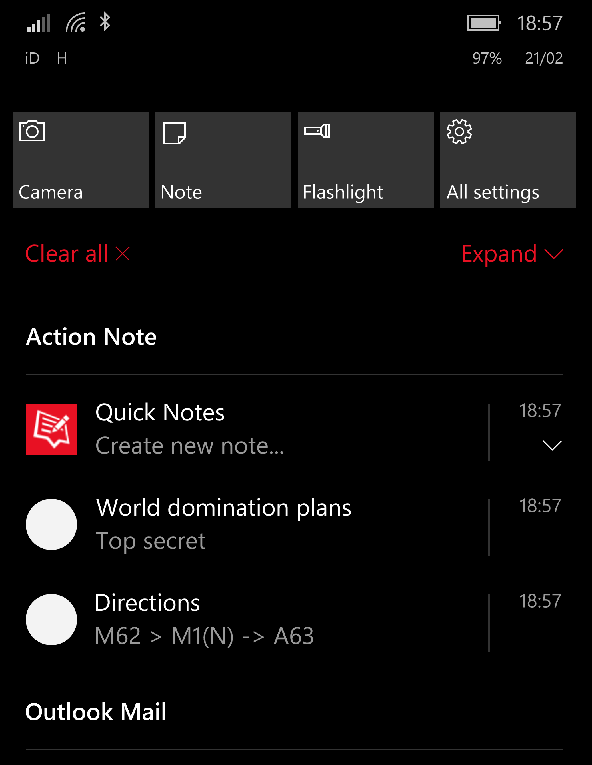
Another note taking app I use is Action Note for Windows. This is a note taking app that sits in your action center. I use this for taking quick notes on my phone and synchronising with my PC. I have already written a blog post covering Action Note last year.

Zim

Zim is a 'wiki for your desktop'. Just like in OneNote and TreePad you maintain your notes as a hierarchical tree structure. Each page can include text and images, with a bunch of plug-ins available including task manager and equation editor.

Zim pages are formatted in a wiki structure that allow links to other pages in the document. Creating a new node is as simple as linking to a non-existent page. Links are maintained in a simple mark-up syntax, such as :Notes:page1 or +newpage.

Zim notebooks can be exported as HTML pages with various pre-set templates. Indeed the Zim website itself was written in Zim.

I have only just discovered Zim, and as such have not got much to show for it, however I can already see that it has many advantages over TreePad most notably the fact that it is a free download; can run across Linux and Windows, not to mention the simple node creation and exporting features. Until discovering Zim, I was considering paying for the full version of TreePad PLUS, however now I don't think I will bother.

The Zim manual, written using Zim.
Video Time


Taping from the radio in 2017

How things have changed. Long ago, when I was grass-high to a knee-hopper, I used to record tunes from the radio onto compact cassette (If you are the copyright people reading this, then, no, no I didn't). I would then put the cassettes in my portable stereo and listen to them on the way to geek school. If you were young in the 70s, 80s or early 90s, then it is likely that you did the same.

An actual compact cassette tape actually from back in the actual day

When compact cassettes became obsolete, I didn't miss them. By the mid 90s I had a growing collection CDs and a decent PC hooked into my stereo amplifier in place of a tape deck; and the transition to digital format was seamless, albeit, streaming had replaced recording from the radio.

Today, however,  I found myself doing what I once had always done, except instead of recording tunes from the FM radio onto compact cassette, I was listening on digital radio on my LaMetric Time device. And instead of compact cassette I am using the feature of Cortana on my phone to identify music and then head over to the Groove app to place them into a playlist.

Cortana at work on my Lumia 950
When I said that I don't miss compact cassettes, that is something of a lie. I do. I think that there is something intangible about music on cassette. There is a joy to using them akin to tinkering with a vintage car, or keeping a retro computer alive. It has something to do with the clunk click of the rewind mechanism, or the feel of a chunky plastic cassette in your hands, or maybe it was because you had to write the track listings on a piece of cardboard with a pen. Maybe it was this investment of effort that makes the format enjoyable. If someone gave you a mixtape back in the olden days, then it meant that they really liked you.

I have often considered buying a cassette player to relive my compact cassette days. Unfortunately, apart from a small revival movement amongst some genres of music, compact cassettes are not a viable storage medium beyond the sheer joy of operating them. I have encountered a couple of virtual cassette apps, but they really aren't the same. To the current date I have avoided taping digital radio onto virtual compact cassette, but it really is just a matter of time until I do!

Tape recorder for Windows Phone, available also for Windows 10, and yes, there are a load of cassette apps for Android devices as well, I've looked.
I am not sure what the future will bring. I am hoping for an embedded brain implant that - as soon as someone walks into the room - automatically plays their theme tune into my ear, and plays incidental music so I know when I am in peril.

I can dream.

Well, that's it for now. I will of course post the moment I get a new compact cassette player. Until then, you  might like to read about some more retro computing stuff, or, I don't know, perhaps you just find out your Starwars name or something.

Get lost with maps too

Introducing our second instalment of awesome map apps to get lost in right now. If you missed the first post, you can grab it here.

The planet's history of violence

Carnage
There is no denying it. We are one bloodthirsty species. With this app from Nodegoat you can discover all of mankind's battles in one interactive map. The data has been scraped off Wikipedia for all articles relating to a battle that has both a location and a date. Using the app you can focus on a particular country or historical period, or change the slider and watch the carnage unfold.  If you like this app then you might also like the video at the end of this post.

Visions of the Ring

Frodo and Strider, on their way for a pint at Bree.
Ever read Lord of the Rings and felt the need to track both Frodo's journey and the location of the Ringwraiths simultaneously? Well, probably not, but now you can anyway, with Visions of the Ring thanks to Hayoo. With this app you can plot the timeline of the classic book and the location of the main protagonists and antagonists, thanks to some careful research using the Appendix and other sources. Definitely plus one geek experience point awarded to Hayoo.

Solar Beat

Solar beat, like a big cosmic record player, far out, maaaan!
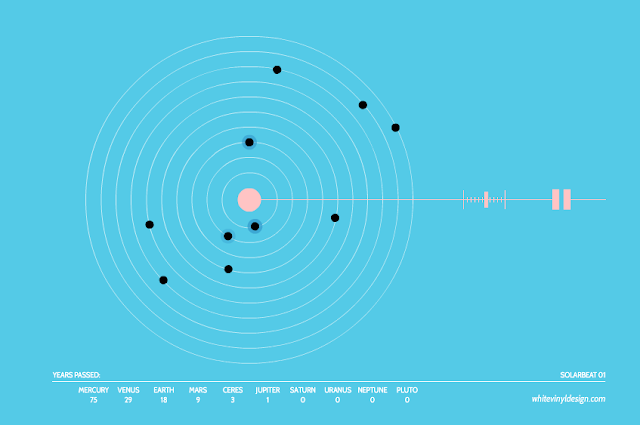
What is the sound of the solar system? Whitevinyl design present Solar beat, a musical orrery. Watch the orbits of the planets around the sun, each one making a different tone as it passes a line from the sun in to interstellar space (which presumably represents the first of January). The result is a haunting and beautiful melody.  Do check it out now. You can alter the speed at which time passes in this solar system, and the number of years that have elapsed is displayed on the dashboard at the bottom.

European Countries Quiz

Some are easy to spot, but I did struggle to find Andorra.

This web app from Sheppard Software tests your knowledge of European geography.  The name of a country is displayed or spoken and it is up to you to find it on the map, scoring points for correct matches.  Sheppard Software have countless other fun educational quizzes on their site.

Ventusky

A typical rainy day in Lancashire.
Ventusky is a brilliant animated weather map app with plenty to play around with from rain, snow cover wind speed etc.

Hurricane Hermine battering the coast of America right now

Video time

The world population has grown by 0.8 billion people over the past decade.  This number is equivalent to more than the population of the United Kingdom each year, or four Americas each decade. Watch the World's population grow from 1CE to the present day and beyond in under 6 minutes.


Isao Hashimoto's map shows a time lapse of every atomic explosion from 1945-1998 with the size of the dot proportional to the atomic yield of the explosion.


Watch a timelapse of every significant battle from 1000AD to the present. The size of each explosion is related to the severity of the fighting.

What happens when you let a computer compose music?

What happens when you let a computer compose music?

Well the results are pretty impressive with Jukedeck.  By combining computer science and music composition theory, you can create A.I. generated tracks at the push of a button.


Jukedeck allows you to create a new composition in a few seconds by selecting the genre and mood from a list.  Every track you make is unique so there is no danger of your music appearing elsewhere. It is ideal for the growing army of video bloggers who need some background music for their creations.

Tracks can be used royalty free for individuals and small businesses (fewer than 10 employees). Other licensing options exist, including the option to buy the copyright for your tune.

The free account limits you to five downloads per month, but you can get more for each friend you invite (so click that image now!).

+1 geek experience point for Ed Rex, Jukedeck's founder.

What happens when you let a computer compose art?  
Find out in Modern Art is rubbish.

More awesome particle art

You may remember our original posts on particle art, or probably not, so here's another one.

Earth Editor


In this game you create and destroy a virtual planet: shower it with rocks, ice, water or fling meteors at it.  Whatever you fancy really.  When you are bored of this one, there is a whole post of apps that let you create your own solar system to try too.

Plus one geek experience point for the guys at Dan Ball.

Particle Art


Particle Art is an app for Windows 8-10.  You can add 'attractors' of various 'mass' then send in a stream of particles which produces such pretty images as you can see above.

Fractal Viewer


Fractal viewer for Windows 8-10 lets you explore the Mandelbrot, Julia, Burning Ship and Lyapunov Fractals. You can create Custom Julia Set and set as your as LockScreen Wallpaper.  Although not truly 'particle art', it's good stuff and well worth a look.

HTML5 Canvas Particle System


The HTML 5 Canvas Particle System is well worth a look.  It is an opensource project from Richard Teamnco. You control the colour,  number of particles, particle lifespan, dispersion range, direction angle, particle speed and particle size. It uses the HTML 5 canvas so will run in a modern browser.

Plus one geek experience point for Richard Teammco.

If you enjoyed this post on particle art systems, then you might like:

Weird Particle Art Thingums
OR
'Particles':- Our own particle system for Windows.

Label

World Karma Game