Showing posts with label Arduino. Show all posts

Arduino Star Trek control panel and love-o-meter

I have continued to learn Arduino programming using the Arduino Starter Kit.


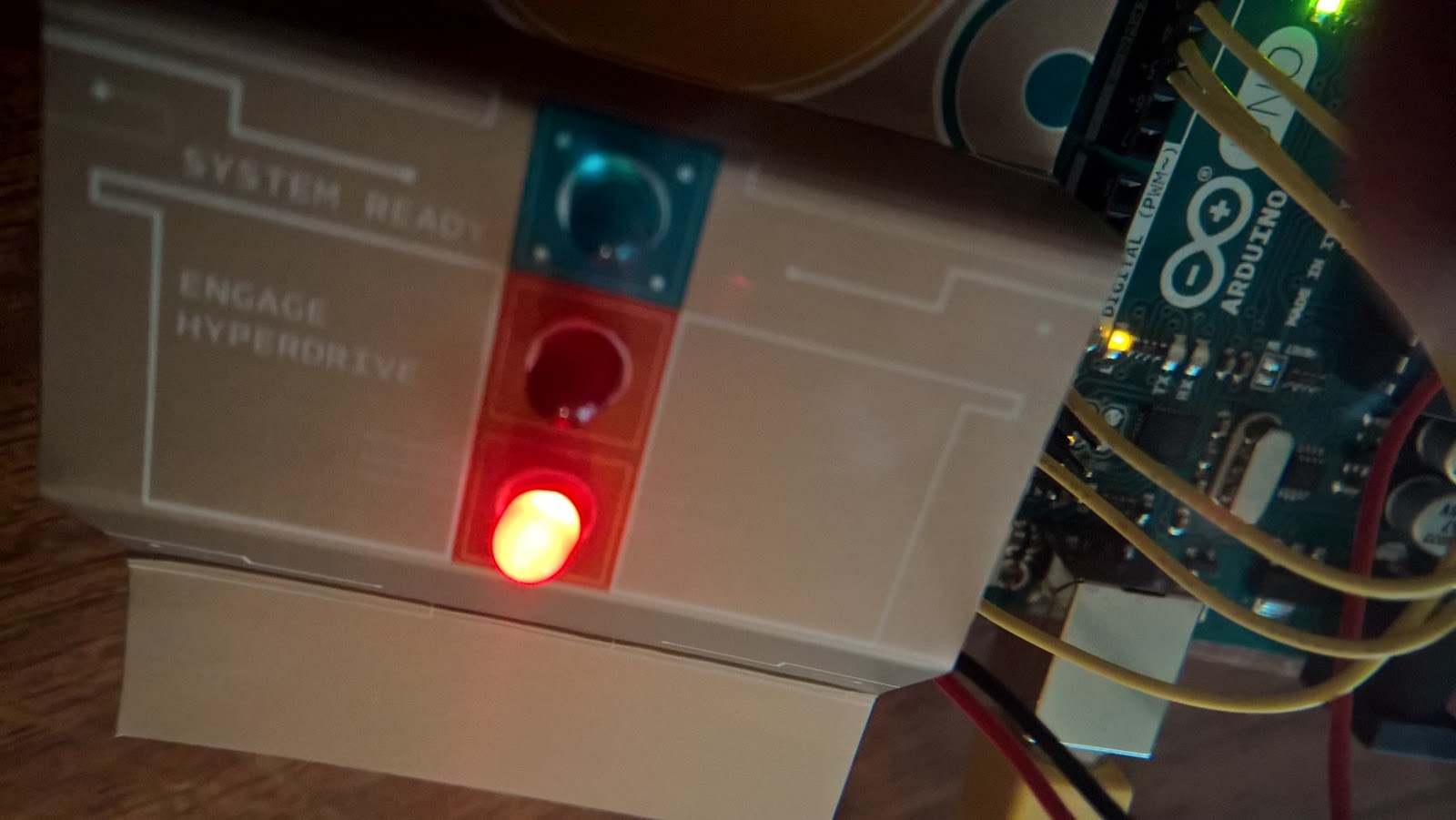
The next project in the book uses the Arduino to control three LEDs in what it imaginatively describes as a Star Trek style captain's control panel.  In this project you learn how to write code to test the status of a push switch and then, depending whether it is pushed or not, set the voltage on the LED circuits to high or low. It's another really simple project and is the first introduction to using the Arduino to control components rather than just supply power.

The project comes with a template to help you imagine that you really are Captain Kirk, if you needed help with this.

The next following project is an imaginatively titled love-o-meter.

It uses some code to get read a value from a linear temperature sensor.  Depending on the temperature your program reads the Arduino will set the voltage on up to three LED circuits. The temperature sensor is a rather small component and it actually took me a while to find it! This project also comes with a handy cardboard template - complete with lips - to help bring it to life.  Put your fingers over the temperature sensor and watch the LEDs light up one-by-one.  I understand that the Enterprise was fitted with something like this to help test the compatibility of Federation captains with alien women, only Captain Kirk often chose to ignore it.

The love-o-meter also introduces you to the serial monitor - a console for the output of text so you can see what's happening inside your Arduino.  This is useful as in this project it is unlikely that the ambient temperature is as high as 20 degrees.  I had to adjust my program and found better results when I looked at the serial monitor.


Join me soon as I continue to work my way through the brilliant Arduino starter kit.  Coming soon we will look at using the tri-colour LED and the servo motor!

As it is customary to end an Arduino post with a Douglas Adams quote, here goes:

“It is a mistake to think you can solve any major problems just with potatoes.”

Still here? Well, you might like this post about the FUZE Basic Robot Arm Kit, or some noteworthy note apps for Windows.

Arduino project 1

Yesterday I showed you the Arduino starter kit.  Today I started to try the first project from the book.


After a short primer in the physics of electrical circuits, the book guides you gently into the first project, which is to create a push-button controlled LED light on the breadboad.

The project doesn't actually use the Arduino except to draw power; its just to get you familiar with the breadboard.  Once I had created the first LED in series with a push switch I added a second LED in parallel with the original circuit as shown below, and hey presto, two robot eyes (well, OK, two red LEDs).

It's not the most impressive project in the book, but at least I have got to grips with the components now.
Things I have discovered that it would be useful to have but I don't currently own:
  • a good light source (to see the colours of the resistor bands);
  • magnifying glass (to see any of the components at all - my eyesight is deteriorating);
  • digital multimeter (not essential, but should be in the toolbox of any electrician);
  • component box (there are a lot of small components).
It is time to stop there and attempt a more challenging project another day. Come back soon.

And since it is customary to end an Arduino post with a Douglas Adams quote - here goes:

A learning experience is one of those things that says, 'You know that thing you just did? Don't do that.’


Still here? Dang! Well, you might like to look at this LEGO TARDIS kit, or maybe you want to solve some puzzles.

My first Arduino

I've bought an Arduino UNO so I can learn about microcontrollers and hopefully build some interesting projects.  In this post I shall briefly show what you get with the kit and then end with some advice from Douglas Adams.

I chose the Arduino original starter kit available to buy here:


What is Arduino UNO?

The Arduino is a microcontroller board intended for novices to create their own devices.  The Arduino UNO board processes various inputs that can then trigger actuators. In other words you can build a device where when this thing happens then that thing happens.


What's in the box?

A very generous selection of bits and bobs.  You get the Arduino UNO microcontroller intself plus a breadboard and wooden base (this is easy to assembly, however if you follow the instructions that come with it, you might end up assembling back-to-front as I did. This is easy to fix).

The kit also contains various components including DC motor, LED display, servo motor, potentiometer, temperature sensor, and a very generous length of USB power cable; in addition to various diodes, resistors, filters, LED etc. You also get some cool stickers to promote your love of Arduino and open source.

Bits and pieces.  I suggest that you invest in a component box for these.
What's in the book?

The starter kit comes with a projects book.  This contains the set-up instructions; how to install the software and connect to your Arduino; a primer in electronics and fifteen projects to try.  The projects include a light theremin, digital hourglass, Arduino clock, Zoetrope, secret knock detector and more.

The book is well-written, clearly set-out and easy to follow instructions.

I am looking forward to learning how to build my own projects by trying some of these out first.

The excellent Arduino project book which comes with your kit.

First steps.

The very first project is to make sure your system works by compiling a 'blink' program onto the device. All this does is to make the on board LED blink on and off at a rate you specify. This is to get you used to the software and make sure that all is in working order.

Next steps.

The next steps are to make something interesting.  I am not sure where I am going with this, but I do know that it is for another day.

Anything else?

I also bought the book Arduino Projects for Dummies by B Craft.


This book contains some more 'out there' projects, including automated gardens; RFID detectors; GPS dataloggers and much more.  How about a project where everytime your cat leaves you house it updates its Twitter profile?  Well that is covered in this book.  It is almost worth getting a cat for.  If you need some advice from Douglas Adams, remember: if you try and take a cat apart to see how it works, the first thing you have on your hands is a non-working cat.

The opposite is true of Arduino projects.


Come back for more geeky stuff soon...

Still with us?  Still awake? Then you might like my post on the micro:bit moisture sensor, or a whole load of posts about the Raspberry Pi.

Cool, #Logic Gates using #dominoes

A series of videos explaining #logic gates using dominoes (some even work).

A cool introduction to logic using dominoes.  +1 geek experience point for #numberphile.


A 4 bit full adder using dominoes that works - sort of - the 'world's slowest computer'?


AND, OR and XOR logic using dominoes. +1 geek experience point for Neil Fraser


Domino logic gate with Nick Poole using #arduido demonstrating the full adder (add +1 geek experience point).

The Internet of Fish

My new favourite site - aquard.io


Aquard.io is an online fishtank.  There are three webcameras allowing you to remotely view over fifty happy tropical fish through your web-browser.  An arduino computer controls the backend allowing viewers to request feedings and squirt bubbles into the water.


If you want to teach the concept of The Internet of Things to children, then this is the site to come to.  I showed this to three year 9 girls who are really into computers and they had to admit that it was  'quite cool,' however they wished that there was a chat feature.  Presumably so you can chat to other viewers (not the fish).  They also said that it 'wasn't fair' because somebody has 'bought a fishtank and now we look after it for free' (!).

You can join the fun on Twitter @aquardio.

A video explaining more.


Label

World Karma Game