Showing posts with label retro. Show all posts

British Summer Time

This morning, I woke up early thanks to the sun shining through a gap in my curtains and filled the kettle. It is the first day of British Summer Time today, and as my coffee boiled I set the time one hour ahead on the analogue clock in my kitchen and looked forward to the lighter evenings.

It was a bright day in April and the clocks were striking one-eighth multiplied by ninety-six over two.
You would be forgiven for forgetting, or not even noticing, that today was the day the clocks spring forward, as most of our smartphones and most modern computers will automatically account for daylight savings time.

Those of us with a few retro computers in our collection would, however, spend some time today making sure that all our older devices are at the same time as the newer ones.

Setting the time on my BBC Master 128
The BBC micro has a battery-powered clock. It is advisable to change the batteries every couple of years, and certainly, check that they haven't leaked all over the inside of the motherboard during its time forgotten in your attic. The time is set via a simple BASIC statement, as shown.

Analogue clock for the BBC 128 Microcomputer (I actually use this quite a lot)


The disk utilities in DOS running on my IBM PS1
DOS has a similar command line, or you can use the utility built into the operating system.

Mmmm.... DOS!
Nothing says 'daylight savings' quite like an ASCII clock!
For RISCOS on my Raspberry Pi, I have a time setting utility that was originally built on the BBC Master. Here is it doing its thing.

RISCOS Raspberry Pi having the time set to match the PC shown above.

The Acorn Pocket Book II has an option in the 'Time' app to allow you to manually indicate summer time or not. Presumably, so you could set the time for any location on Earth. This may prove to be incredible foresight from Acorn if the United Kingdom chooses to abolish daylight savings in the near future, as I truly expect my Pocket Book to be soldiering on long after the modern laptop I am writing this post on has gone to the recycling plant in the clouds.

Well, that's all from my classic computer collection. This post was just an excuse to show off my various retro machines.

If you liked this post then there is a slim chance you would like this post about my thoughts on date formats and why you are probably getting them wrong, or this post about particle Art. Maybe you are just curious to know what this link does.


A trip to RetroClinic

I recently took my BBC Master microcomputer to RetroClinic for a bit of tender loving care. Mark did an excellent job of fitting a new cherry keyboard as the original keyboard had developed a fault. I also walked away with a new Phillips monitor which has much-improved picture quality than the old one.

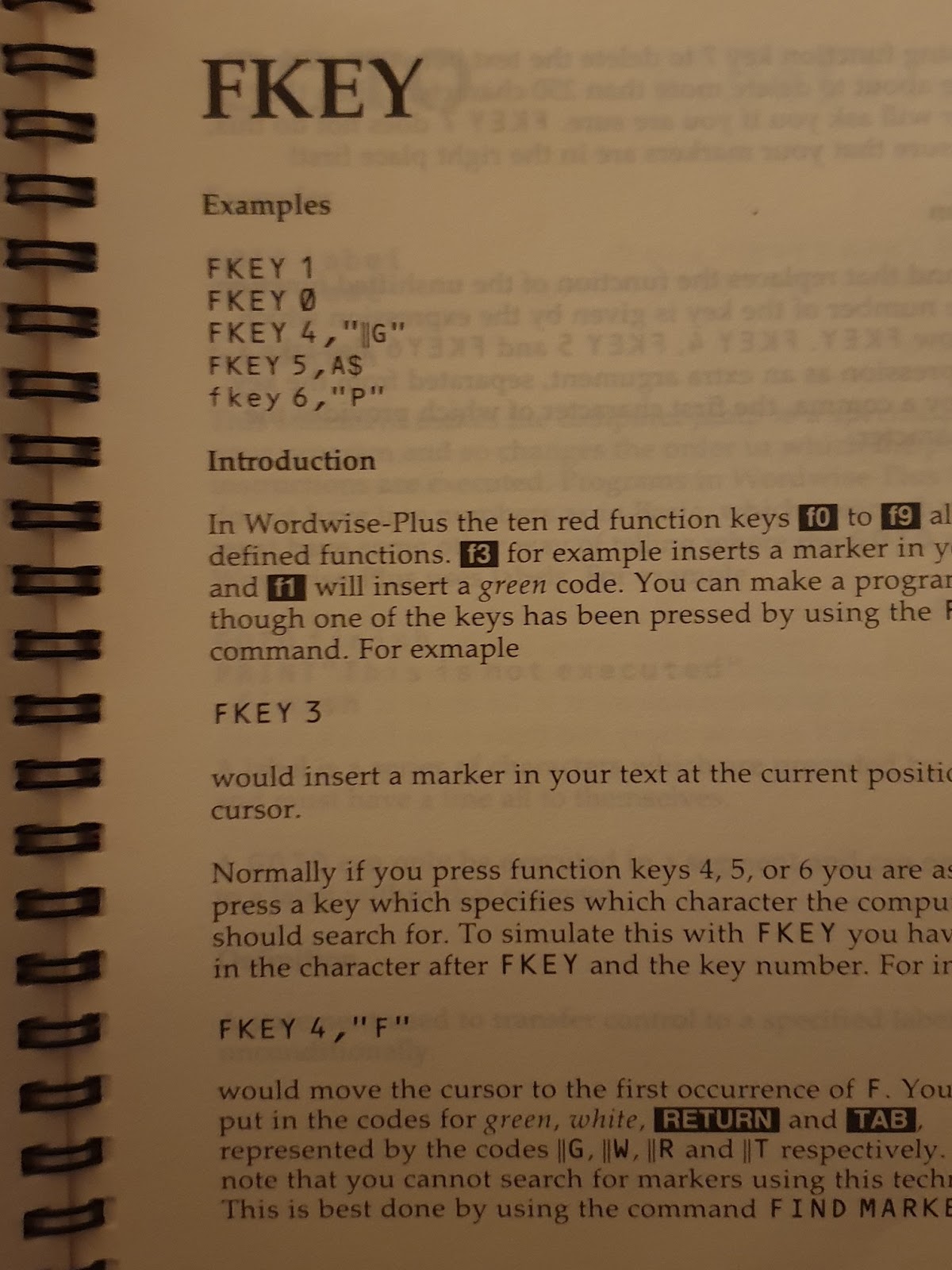
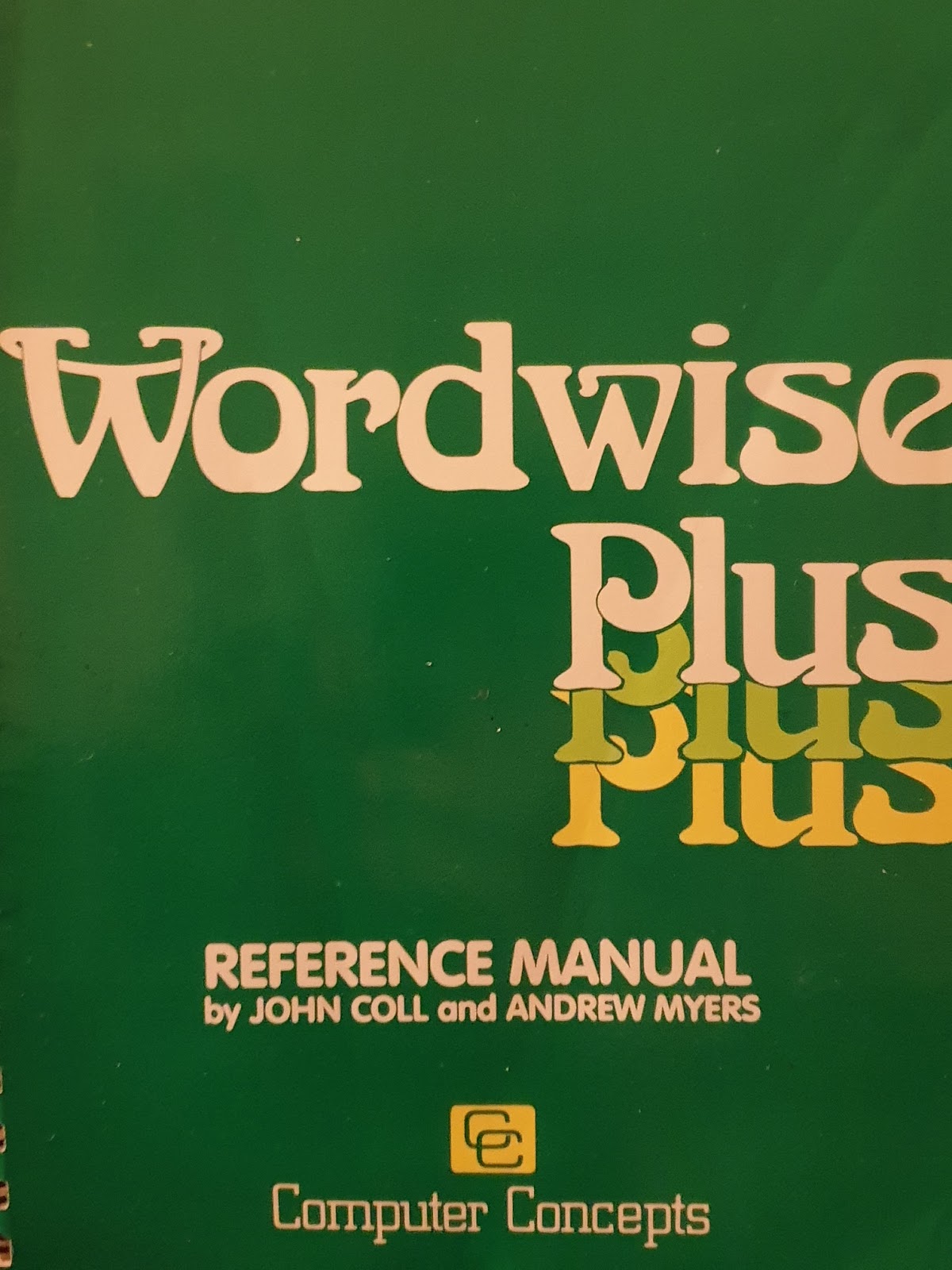
Mark also sold me a copy of Wordwise-Plus. This is the word-processor I used when I was grasshopper high to a knee. In fact, I remember writing both GCSE and A-level coursework on this trusty word-processor and it even followed me to university (although it did not survive the experience).

Cherry keyboard for the BBC Master (thanks to Mark from RetroClinic). Looks like a 'beeb' keyboard, feels like a modern cherry keyboard. These keys actually feel soft. The original 'beeb' keyboards were designed to be school-level indestructible as they were intended to survive half a term with those monsters in 3B Mathematics on a Friday afternoon.

Wordwise-Plus comes from a time called '1984', when, as well as all the population being victims of perpetual war, omnipresent government surveillance and propaganda, word-processors were non-WYSIWYG. This means that in order to control the layout of your text you had to enter control codes. This was way more fun than modern word-processors with their boring icons, mouse pointer-aiming, perpetual war, omnipresent government surveillance and propaganda.

Wordwise-Plus menu in glorious MODE 7 running on original hardware and Phillips monitor.
Wordwise also had a built-in macro scripting language. When I was a youngster living on Airstrip One, I actually coded loads of scripts to perform various jobs on my school work, such as applying headers and footers, automatically creating cover pages and numbers, etc. Youngsters today don't know they are born!

One page from the extensive scripting language manual which is now my bedtime reading for the next week, even though page one warns you that this manual doesn't make good bedtime reading.
My blog: full of awesome goodness and other relics of the Cold War.

I have absolutely no doubt that you will be finding some Wordwise-plus code floating around on these pages sometime soon. I also intend to write a post about how tremendous those red BBC micro function keys are at some point (hint, they are really tremendous).

Mark performing surgery on the Beeb. That's one Speech ROM going in as well as a battery pack replacement.
Th...th..th..that's all folks!


If you enjoyed this post, then you might want to visit your doctor and explain the symptoms to him or her. If you are sticking around for a bit anyway, then you might want to read about some Raspberry Pi posts. If you hate this blog, then you will really hate this post, not to mention this one.

Compact cassettes comeback

Yesterday I enthusiastically wrote about all the fun you can have with the seemingly obsolete media format compact cassette. Today a bunch of compact cassette videos.


Cassettes - better than you don't remember by Techmoan. Techmoan is a great channel if you are interested in all things retro, tech or audio. I often enjoy watching his videos for his enthusiastic approach and exemplary subject knowledge. In this video, you can hear the difference between the different types of compact cassette and noise reduction technology.


The last audio cassette factory although a little out-dated this is a great video and worth watching for the great story.


A short film about cassettes - you need to hear this - indeed, you really do. Watch it. Watch it now!


Kids react to walkmans (portable cassette players) aw, as they say, from the mouth of babes, or if kids don't think it is cool, then it is probably cool, or something.


Playing 50 YEAR OLD tapes, busting the myth that cassettes have a limited lifespan.


That's all for now, although I reserve the right to add more if and when I find any of interest. If you enjoyed this post then you might like to tell me about it on this noticeboard, or maybe just read something else retro related.

Cassettes are back

I walked into HMV the other day. HMV is a British entertainment and record retailers. I haven't been to a physical record store in many years and was suddenly surrounded by aisle upon aisle of DVDs and CDs. There were loads that I like the look of, and I had some cash burning a hole in my pocket. It was then that I realised that I no longer own a single device that can play a CD or a DVD.

I felt like a historical reenactor of the Tony Blair years.

The only CD/DVD player that I still own is connected to my main laptop computer and it is seriously damaged. Some time ago I started to get my media either streamed or downloaded and I never noticed that the lack of a disc player was an issue. In fact, it is not. I listen to music on streaming services such as Spotify or on one of the thousands of internet radio stations on my LaMetric time device. I watch YouTube and download movies from the Windows store. It was really a long time ago that I bought CDs or DVDs.

Interestingly, the only format in the record store that I could actually play was in the vinyl section.

Vinyl is making a comeback, if you didn't already know, with year-upon-year growth in the format as people begin to crave the feel of the needle in the groove and the tangible album art in their hands or something.

But this post isn't about vinyl it is about the other ancient analogue format that is making a comeback: compact cassettes.

Of all the formats it is compact cassettes that I miss the most. So, as you can imagine, I am delighted to announce that I have recently purchased a near mint condition, racily-titled Sony TC-WE 825S.

Photo from eBay
This device was originally manufactured in 1988, rather late in the lifetime of the compact cassette. It features most of the designs you would expect of a high-end product: Twin tape decks, simultaneous recording, pitch control, fade in/out, highspeed dubbing, auto this and that and the other, There were a few features that came as a surprise: RMS, or Random Music Sensor not only allows you to fast forward to the next track on the tape but also allows you to enter up to 28 tracks into a programmable memory to be played in any order you like from either side of the tape, just like on CD. My original tape-player was a dirty model from the early 1970s and had no microelectronics although it did have a very funky stainless steel finish, which made it look great, despite it sounding awful.

The most exciting feature is the Dolby-S noise reduction which is a significant improvement on the Dobly-A noise reduction. This feature removes a significant proportion of the tape hiss that is inherent in recording on magnetic cassette tapes. Dobly-S was a leap forward in compact cassette technology that bypassed most people at the time as they had already moved to digital formats. Back in the 1980s, I did not have the luxury or Dolby noise reduction and I think I just put up with the hissing noise.

Of course, there is absolutely no need for me to own this product beyond the sheer joy of recording in analogue. I have currently spent the afternoon making recordings of my vinyl collection just like it was the 1980s again.

There are a number of outlets that still sell new blank cassettes and if you are thinking of following suit then I recommend the Tape Line Ltd. The Tape Line Ltd provided me with a pack of 5 Type-I compact cassettes (these are the cheap ones that most people used back in the early days). I also bought a single TDK Type IV metal alloy compact cassette which has much better recording quality than their Type-I counterparts although at ten times the cost! I recorded some digital files from my RISCOS computer onto metal tape with Dolby-S and the sound quality is unbelievable. In fact, it is very hard to believe that it is an analogue format at all as the quality of the recording is so, so good.

If you want to know more, and actually hear the difference in quality, then I can highly recommend this video from TechMoan in which he demonstrates the quality of Type-IV cassettes with Dolby-S.


If you have enjoyed this post then you might like to read about some other retro products, or maybe you just want to write something down. Either way, I'll be back soon with more geeky tech stuff, or maybe I'll just talk about the weather, I don't mind, it's my blog.

A vision of 1970s Computing

I recently found a pile of books in the back of a cupboard at work. They are a series of books introducing children to the wonderful world of computers written in the early 1970s and published by Chambers. The books have inspiring names, such as "The Useful Computer" (IBSN 0 550 77111 5) and "The Computer Becomes Literate" (ISBN 0 550 77109 3). Throughout the books there are delightful photographs of computer devices being used in business (very few home computers in the early 70s).

Considering the age of the books, let's assume that they are fair use. Which is good because I want to post them here and write faintly amusing things about them.

In this image we can see a person from the 1970s using one of the most up-to-the-date computer systems to update her eHarmony profile. This would then printed out and placed on noticeboards around the building.
In the 1970s it was thought that Babbage's Analytical Engines would become smaller, faster and more portable. It was thought that the main use for these flawfless mathematical calculation machines would be for sending Tweets. This never came to be.

In this image we see an office worker phoning her boss to admit that she has deleted the spreadsheet, again. Yes, all 500 bytes of it.

A typical man cave from the 1970s. This gaming setup includes a tape deck which later evolved into the 'restore point'.

Early Facebook users from the 1970s would print out their friends profile pages and then spend their evening reading through them. If they 'liked' a post they would draw a little thumbs-up or heart next to it in red ink and send it back to them in the mail.

Whenever someone made a copy-paste error in their spreadhseets in the 70s, they would telephone the debug man who would spend his evening rewiring the spreadsheet. Typically, the problem was fixed in time for another working day.

Back in the 1970s storage devices were kept under lock and key. A specially trained technician would feed and train a small zoo of mice whose job it was to keep the spindle rotating high enough to achieve data transfer rates of up to 8 bits per second. It is from this practice that we get the computer terms 'mouse' and 'hard cheese'.

An early storage device from the 1970s. This one was mainly used to store cat photos, as they still are today.

A rare photograph showing early Tumblr memes being uploaded.
There was always much excitement in the office whenever a new Linux distro came out.
Back in the 1970s it was thought that the office of the future would involve desk after desk of office workers staring at their computer screens all day. Thankfully, this never happened.
If you liked this post, then do please share it with your friend if you have one, alternatively you could look at this other post which has nothing to do with the one you just read, or look at a home computer from the 1980s.

Acorn Pocket Book II

The Acorn Pocket Book II is a personal digital assistant manufactured in 1991. Actually, it is a Psion 3 that has been rebranded by Acorn.

Imagine, if you will, a device that you could carry around with you, and that had apps on it. In 1991!

The Acorn Pocket Book II was truly ahead of its time. I picked up my version on eBay for about £20 and I am interested to see how it compares to a modern device and whether it can still be used as a personal assistant today.

Acorn Pocket Book showing the desktop and the huge amounts of memory available. This model was the 256K version. About 90K of this is used as graphics memory.

Well, the first thing to note is that the size of pockets hasn't changed much since the early nineties. Although it is slightly larger than a modern smartphone (and a few times chunkier) it still fits in most of my pockets, so all is good and the device lives up to its name.

The desktop is initially difficult to navigate, although even with the touch-sensitive buttons that launch many of the apps, most of the navigation is achieved with the cursor keys. The desktop displays icons in a horizontal row, with files associated with each application stacked vertically below.

The 'file' button brings up a menu bar containing all of the various file operations you would expect an operating system to provide.

Interestingly the Acorn Pocket Book II was designed for the education market and so it came with security features such as passwords disabled (although it is possible to switch these back on). Presumably, Acorn were worried that naughty school children would change the passwords and lock their teachers out of the devices.

OK, let's have a look at all of the pre-installed apps and see if they are still relevant. I'll put a score out of 5 based on how useful the application is, where 5 is 'as good as any modern smartphone app' and 1 is 'of very limited use'.

Cards (1/5)

Cards is a card filing system. I had originally hoped that this would be similar to the Card File program in Windows 3.1, however, instead, it is a very simple database with fields for 'name', 'phone', 'address' and 'notes'. I find this feature completely redundant as I would prefer to use the contacts/address book features in Android and Windows 10 to store this information.

Write (4/5)

Write is word processor program. It works really well, although, as you might expect, it is rather simple and using the tiny keyboard is difficult at times, especially when using the shift key at the same time as another key. Even so, if you wanted to use your Pocket Book as a notebook, then this application would still be of use today.

Schedule (1/5)

Schedule is a diary application. I have no use for this as I use Outlook.

Time (4/5)

Time is a clock/alarm clock application. It is simple but comes with multiple alarms as well as the ability to program them with repeats on workdays etc. In fact, this application is almost as good as any modern alarm clock application.

World (3/5)

World is a world time clock, with many cities as presets. It will tell you the current time in any of these cities as well as the distance, sunrise and sunset time. This app is still relevant today, although I am not entirely convinced that it gets the daylight saving times correct for Wellington, New Zealand.


Calc (5/5)

Calc is calculator application with powers, trig and preset memories. It is as useful as any standard calculator application. It is simple, but I have no complaints here.

Abacus (4/5)

Abacus is a spreadsheet program. Although not as powerful as a modern spreadsheet, it is still useful for basic tasks. In fact, I have found various uses for this application, not least to calculate my mortgage payments.

Acorn Pocket Book showing Abacus spreadsheet.
Spell (4/5)

Spell is a dictionary, anagram and thesaurus application. It is quite good, although I am not convinced that the on-board dictionary is all that big.

Record (3/5)

Record is an application for recording sound from the onboard microphone. It works. You don't get much more than 10 seconds of recording time before you run out of memory.

Plotter (3/5)

Plotter is an app for graphing mathematical functions. It is no Desmos but it does a job.

OPL (N/A)

OPL is a programming language for the Psion series personal assistants. I am struggling to find much documentation on how to get started and so I haven't even managed to write 'hello world' yet, but in theory, OPL allows you to write your own native applications for the Pocket Book, as well as integrate scripts with some of the other standard applications.  I've rated this N/A as I know that it is a really useful feature, but since I can't get it to work I won't be commenting.

Is that is?

No way! The Acorn Pocket Book had a thriving shareware community back in its day, and if you search hard enough you can find many more applications and games for this device. I have only discussed the applications that came with the standard release.

It is also worth noting that this device is very power efficient. I don't know how long, but I know that the batteries will last for a very, very long time.

The verdict... (3/5 )

Overall, I think that the Acorn Pocket book was a brilliant device for its time, and even today has some use.  Overall it gets 3 out of 5, about the same as Revenge of the Sith.

Obviously, the lack of internet makes it much less useful than your modern smartphone for almost all of the above tasks, but it still is a curious device and I do love finding uses for it from time to time.

If you found this post interesting, then you might like to read about how I tried to use an Acorn BBC microcomputer as my main computer.

Good bye

Taping from the radio in 2017

How things have changed. Long ago, when I was grass-high to a knee-hopper, I used to record tunes from the radio onto compact cassette (If you are the copyright people reading this, then, no, no I didn't). I would then put the cassettes in my portable stereo and listen to them on the way to geek school. If you were young in the 70s, 80s or early 90s, then it is likely that you did the same.

An actual compact cassette tape actually from back in the actual day

When compact cassettes became obsolete, I didn't miss them. By the mid 90s I had a growing collection CDs and a decent PC hooked into my stereo amplifier in place of a tape deck; and the transition to digital format was seamless, albeit, streaming had replaced recording from the radio.

Today, however,  I found myself doing what I once had always done, except instead of recording tunes from the FM radio onto compact cassette, I was listening on digital radio on my LaMetric Time device. And instead of compact cassette I am using the feature of Cortana on my phone to identify music and then head over to the Groove app to place them into a playlist.

Cortana at work on my Lumia 950
When I said that I don't miss compact cassettes, that is something of a lie. I do. I think that there is something intangible about music on cassette. There is a joy to using them akin to tinkering with a vintage car, or keeping a retro computer alive. It has something to do with the clunk click of the rewind mechanism, or the feel of a chunky plastic cassette in your hands, or maybe it was because you had to write the track listings on a piece of cardboard with a pen. Maybe it was this investment of effort that makes the format enjoyable. If someone gave you a mixtape back in the olden days, then it meant that they really liked you.

I have often considered buying a cassette player to relive my compact cassette days. Unfortunately, apart from a small revival movement amongst some genres of music, compact cassettes are not a viable storage medium beyond the sheer joy of operating them. I have encountered a couple of virtual cassette apps, but they really aren't the same. To the current date I have avoided taping digital radio onto virtual compact cassette, but it really is just a matter of time until I do!

Tape recorder for Windows Phone, available also for Windows 10, and yes, there are a load of cassette apps for Android devices as well, I've looked.
I am not sure what the future will bring. I am hoping for an embedded brain implant that - as soon as someone walks into the room - automatically plays their theme tune into my ear, and plays incidental music so I know when I am in peril.

I can dream.

Well, that's it for now. I will of course post the moment I get a new compact cassette player. Until then, you  might like to read about some more retro computing stuff, or, I don't know, perhaps you just find out your Starwars name or something.

Label

World Karma Game