Showing posts with label Cortana. Show all posts

geeky things to say to Cortana

If you are like me then you love talking to technology and you are a geek. So, ahead of Star Wars day tomorrow, here are some geeky things you can say to Cortana if you get a moment.

"Give me a Star Trek Quote" - There are FOUR lights!

"Give me a Star Trek quote" - Should be KHAAAAAAAAAAAAAAAAAAAN! though, right?


"Give me a Red Dwarf quote"

"What's your favourite Star Wars Movie" - again, Cortana is wrong. There are only two good Star Wars movies.

"Tell me a Star Wars joke" - chortle
Do you really need to be told what I said?
"Give me a high five"
"May the force be with you"
"Engage"

If you enjoyed this post then you might want to take a long hard look at yourself and maybe get out into the countryside a bit more often. Failing that, you can amuse yourself a bit more with some Star Wars Name Generator fun, or maybe just some more posts about Cortana.

Cortana is now on IFTTT

In a move that has frankly been a long time overdue, Cortana is now available on IFTTT.

If you did not already know, IFTTT(IF This Then That) is a service for connecting various other services together. Literally, if this happens on one, then that happens on the other. Cortana, as I am sure you will know, is the personal digital assistant available for your Windows 10 PC, phone or Android. As a follower of both Microsoft and IFTTT, I have been waiting for this development since the beginning of Windows 10.

With Cortana on IFTTT you can connect your Internet of Things devices together and control them from Cortana. Philips Hue, Manything, Harmony TV, WeMo and Samsung Robot vacuum are some of the many services that now have Cortana integration.

Some of the many new Cortana applets on IFTTT
I have been playing with this new feature by making a few applets of my own.

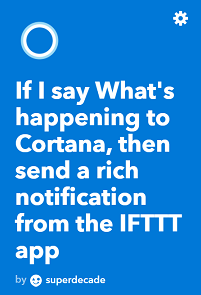
The first one I tried was an applet that rather pointlessly fires a notification to my Android whenever I utter the phrase "Hey Cortana, what's happening?".


Tadaaa!


Ok, so that one was rather pointless, but as proof of concept goes I am pleased with the result. I suppose it has a use if you were feeling really lonely.

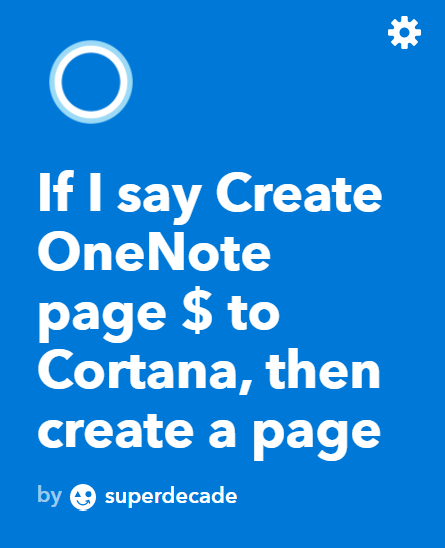
The next thing I tried was a slightly different trigger for Cortana, that is to use a specific phrase with a text part that is then specifically used for some purpose. I thought that it would be useful to have an applet that creates a new page in OneNote, with a title you specify, whenever Cortana hears "Hey Cortana, create a OneNote page X", where X is the name of the new page.


Notice the $ indicates the text phrase that you want your new page to be called. I used 'test' here, but you could say 'my world domination plans', or 'reasons I hate Apple' or 'help I think I am sinking' or whatever.

OneNote page created by Cortana with some dummy text just to see what would happen, look!

And that's about all I have managed to play with so far, although I have also been looking at creating some Cortana applets to work with LaMetric time as well. I think it would be really handy to be able to start and stop LaMetric internet radio from Cortana. Currently, this takes several clicks of the LaMetric Android app.

If you have managed to get all the way down to the bottom of the page without your face melting from boredom, then you might like to read my other Cortana posts, or maybe you want some more technology news. Either way, you might like to post a comment on this noticeboard?

Hey Cortana, play some metal!

My new favourite app.

Previously, my media center revolved around using Music on Console on my Raspberry Pi. The music files were stored on a networked drive and the output of the Pi fed into my stereo amplifier which freed the monitor for use with either my BBC microcomputer or my Windows 10 computer.

I really like this set-up as I could control the music player by pressing keys on the keyboard without having to switch the monitor to the Raspberry Pi channel. For example 'pause' is the spacebar, and 'next tune' is the 'N' key.

More recently my Raspberry Pi stopped working properly (I'm not sure what the problem is, suffice to say that the OS no longer responds to mouse clicks correctly). I needed some time to rebuild the Raspberry Pi, so I switched to another media center app.

Microsoft Groove, playing some metal on a Lumia 950


Microsoft Groove for Windows 10 seemed like the logical choice as it could see the same files on the network as the Raspberry Pi (a collection of several hundred GB of files painstakingly ripped from CDs since the early 1990's). I had used Groove several times for playing music before, however the Pi was my previous main system.

My first impressions were of a really well-designed user interface that was simple to use and beautiful. The app had already found the music files from the network and had even loaded my playlists created on the Raspberry Pi and so I was up and running in a matter of seconds.

Things got better when I got my free trial of the Groove Music Pass which unlocks literally millions of tunes ad-free. I have been having tremendous fun building new play lists from forgotten classics as well as new music. Groove has a radio feature that lets you discover new music based on any artist that you may care to mention, and, of course, download or curate new music into whatever playlist you like.

The service runs on my Windows Phone as well as my Android devices, which is another boon as I can have access to my playlists at work and on the go, but also, rather crucially for me, it frees the monitor so I don't miss any of the retro-computer action on my BBC micro! There is also a web-player so I can access the service on my Chromebook or, if I really have to (and I mean if there is literally no other device available with a power supply) I can get it on my iPad (shudder). But this is a rare thing as I usually use this device to chop onions.

A really nice feature is that I can control the player on my phone with my Microsoft Band 2, which I still love even though Microsoft seem to have forgotten all about it. Cortana on desktop also responds to voice commands ("Hey Cortana, play some metal!") and I understand that more voice commands for Groove a due in the next large update for Windows 10 next April.

Microsoft is keen for you to sync your music with your OneDrive account, and a purchase of the Groove Music pass comes with a very generous 100GB of OneDrive storage.


Well, that's it for today. I'm off to listen to some new music and chop onions on my iPad.

Happy Halloween Cortana

The Trumpkin

Today Cortana suggested that I use her algorithms to help decide what costume I should wear for Hallowe'en. I gave it a go.

This is NOT how we used to do Halloween 'up north'.
...and the results...
Well, thanks Cortana, but it's going to take more than a lick of paint to make me look like that cat!

Happy Star Wars day from Cortana

Cortana greeted me today, in the form of Yoda, with a cheery "May the Fourth be with you" (chortle).

This image is courtesy of PC World, because I wasn't quick enough to grab a screenshot.
If you ask Cortana whether she likes Star Wars then you get the following pearl of wisdom:

+1 geek experience point awarded to Microsoft.

If you are sticking around with us for the rest of Star Wars day, then you might like to try our Star Wars name generator.

I really like this Windows 10 feature

Recently some relatives made a long flight.  Naturally I wanted to track the progress of this flight (should be called 'mission').

At first I used flight radar. I found this very difficult to track an individual flight because although I knew the flight code (used by the airline operators), I didn't know the callsign code (used by air traffic control). I am not even sure whether I have got this distinction correct.

In some desperation I then typed the flight number into Cortana and was delighted to discover that she had it all covered.


Switching to my Lumia 950, the details were there in a nice Cortana card too.  Go Microsoft!

Next steps - Implement this feature in gorgeous ASCII for Susan.

Label

World Karma Game