

In a move that has frankly been a long time overdue, Cortana is now available on IFTTT.
 If you did not already know, IFTTT(IF This Then That) is a service for connecting various other services together. Literally, if this happens on one, then that happens on the other. Cortana, as I am sure you will know, is the personal digital assistant available for your Windows 10 PC, phone or Android. As a follower of both Microsoft and IFTTT, I have been waiting for this development since the beginning of Windows 10.
With Cortana on IFTTT you can connect your Internet of Things devices together and control them from Cortana. Philips Hue, Manything, Harmony TV, WeMo and Samsung Robot vacuum are some of the many services that now have Cortana integration.
I have been playing with this new feature by making a few applets of my own.
The first one I tried was an applet that rather pointlessly fires a notification to my Android whenever I utter the phrase "Hey Cortana, what's happening?".


And that's about all I have managed to play with so far, although I have also been looking at creating some Cortana applets to work with LaMetric time as well. I think it would be really handy to be able to start and stop LaMetric internet radio from Cortana. Currently, this takes several clicks of the LaMetric Android app.
If you have managed to get all the way down to the bottom of the page without your face melting from boredom, then you might like to read my other Cortana posts, or maybe you want some more technology news. Either way, you might like to post a comment on this noticeboard?

With Cortana on IFTTT you can connect your Internet of Things devices together and control them from Cortana. Philips Hue, Manything, Harmony TV, WeMo and Samsung Robot vacuum are some of the many services that now have Cortana integration.
 |
| Some of the many new Cortana applets on IFTTT |
The first one I tried was an applet that rather pointlessly fires a notification to my Android whenever I utter the phrase "Hey Cortana, what's happening?".

Tadaaa!

Ok, so that one was rather pointless, but as proof of concept goes I am pleased with the result. I suppose it has a use if you were feeling really lonely.
The next thing I tried was a slightly different trigger for Cortana, that is to use a specific phrase with a text part that is then specifically used for some purpose. I thought that it would be useful to have an applet that creates a new page in OneNote, with a title you specify, whenever Cortana hears "Hey Cortana, create a OneNote page X", where X is the name of the new page.
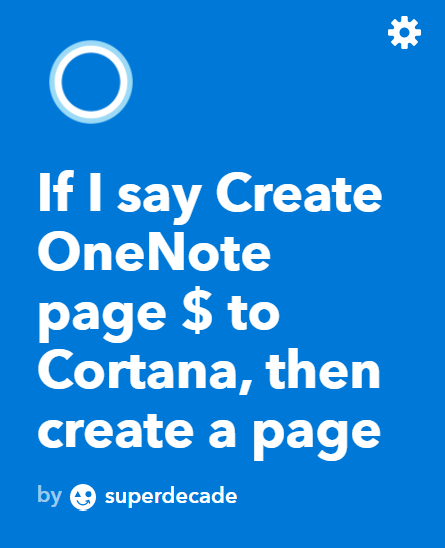 |
| Notice the $ indicates the text phrase that you want your new page to be called. I used 'test' here, but you could say 'my world domination plans', or 'reasons I hate Apple' or 'help I think I am sinking' or whatever. |
 |
| OneNote page created by Cortana with some dummy text just to see what would happen, look! |
And that's about all I have managed to play with so far, although I have also been looking at creating some Cortana applets to work with LaMetric time as well. I think it would be really handy to be able to start and stop LaMetric internet radio from Cortana. Currently, this takes several clicks of the LaMetric Android app.
If you have managed to get all the way down to the bottom of the page without your face melting from boredom, then you might like to read my other Cortana posts, or maybe you want some more technology news. Either way, you might like to post a comment on this noticeboard?


