Showing posts with label BBC micro:bit. Show all posts

Prick!

Today was cactus repotting day. I have three succulent plants that needed some attention before the start of spring.

Prick, by Gynelle Leon, link and description below

Here I am repotting a cactus called Tephrocactus Articulatus - a hardy little plant which seems quite resistant to the cold. It has an interesting way of propagating which is to let several of its stem segments break away to begin a new life as an independent plant.

First I got a roomy ceramic pot and filled it with a layer of cat litter a couple of centimetres deep. This is an attempt to preserve moisture. I am not sure whether this will work, but that's the whole point of experimenting.
I used multipurpose potting compost. Although you can get compost specifically for succulents. I used a newspaper lasso to remove the plant from its original pot as those spines are very prickly.
Next, I added a layer of horticultural grit on the surface. This should help keep the moisture in the soil as well as look attractive.
The next succulent is one that I took as a very tiny cutting a couple of years ago and was surprised by how well it has thrived.

You might notice some small white spots on the leaves. I think this is a fungus but it came off easily with a damp cloth and hopefully has not damaged the plant.

Well, this is a technology blog, so here comes the tech stuff.

I have used one of my microbit moisture sensors to monitor the moisture level in this succulent. Getting the right balance of water is essential to succulent survival. It is a good idea to let the pots completely dry out before gently rewatering again. The microbit water sensor is ideal for this job.

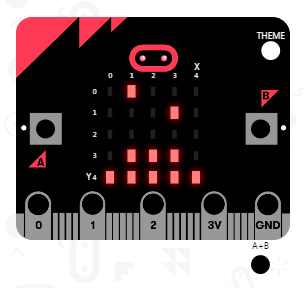
My micro:bit water sensor showing animated "don't water me".

Succulents and cacti like dry and warm conditions and, believe me, plant fungi like to grow in damp conditions. If like me you find that you have a problem with this then you may find a portable dehumidifier is a not-too-expensive solution. The link below shows the dehumidifier that I use.


I can thoroughly recommend this book - Prick, by Gynelle Leon. It covers everything you need to know about the care of your cacti friends. Within these pages Gynelle covers the history, origins and background of succulent cultivation; a gallery of popular plants including care instructions as well as in-depth guidance on watering, repotting and style guides.

Microbit virtual pet

I made a virtual pet for microbit.

The microbit is an ARM-based embedded computer system designed by the BBC for use in computer  science education. It comes packed with sensors and a 25-LED display.  The microbit website allows you to program the device and I first discussed it in this post over here.


Today I built a virtual pet. Grab the code here and run it on your microbit or in the simulator.

Microbit virtual pet when started. It is happy.

As with all virtual pets you get to look after and feed a creature within the device. You can feed the creature by holding the 'A' button, and clean up after its waste with the 'B' button.  Holding both buttons together will get the creature to talk to you - it will tell you what it needs.  The creature gets hungry after a certain period of time which can be changed in the 'hungerThreshold' variable.

This virtual pet always does a poo after you have fed it.

Currently that is all, but there is room to improve: The creature does not die from neglect; it always eats even when it is not hungry; it does not complain when you shake it.

Update - 2016-06-29 - The micorbit virtual pet now has a new name: Mike the Microbit, and he will die from neglect.


Micro:bit moisture detector

Admit it.

You've let a house plant die through neglect before. Probably not even just the once. Multiple times over. You are a bad house plant parent, but things could change around if you had one of these.

My micro:bit water sensor showing animated "don't water me".


The micro:bit water sensor connects to your micro:bit through the pins provided at the bottom of your device. Black to ground; red to 3V and the blue to whichever pin (0-2) you wish to read.


My first project is a simple soil-moisture detector for a houseplant.  When the moisture level is okay for the plant then the micro:bit displays an animated cross ("do not water"); when the soil is dry then the micro:bit displays animated drops of rain ("water me").

Very simple.

Feel free to get my code.

Here I am continually reading the analog pin (P2) and storing the value in a variable called 'water'. I found that a value less than 10 means 'bone dry'.

The micro:bit in the emulator showing the animated rain drops.
Future expansion of the project will be to connect the micro:bit to a water pump so that the system can automatically water the plant as well.  It might also be useful to store the time taken to dry up, or audible warnings if the soil is completely bone dry: Yes, you can get a headphones adapter for the micro:bit as well.

The water sensor is a fun addition to the micro:bit computer and there are clearly multiple fun projects to attempt. You can get your water sensor here.

Getting started with BBC Micro:bit

I have finally found time to play with my BBC micro:bit computer.

The micro:bit computer is an embedded computer given away by the BBC and comprises of an ARM processor, 25 LED matrix, accelerometer, and two input buttons.  It has Bluetooth support and connects to your PC for programming although it can also be powered by an external battery.  You need to plug it in through USB to program it through the micro:bit website.

Micro:bit connected to PC through USB showing the 25 LED programmable matrix.

In my first attempt at coding for the micro:bit I have created a program that lets you find the temperature by pressing button A, and the relative light level by pressing button B. Pressing both buttons at the same time shows a (somewhat disappointing) bar graph of the current temperature.

Source code.

I've used Microsoft Block Editor to write this code to keep things simple.  Micro bit can also be programmed in Python.  Ultimately you code needs to be compiled into object code to run on the micro:bit, but the website at www.microbit.co.uk handles all of this for you.

My second program is a counting ticker, useful next time you are herding sheep and need to count them back into their pen. Press button A to add one to the total.  Press B to deduct one from the total.  Shake the device to reset to zero (this is actually very easy to do by mistake).  Press both buttons to show the current count total.

Source code.

Program number 2.
That's all I have achieved for now, but I look forward to experimenting with some more challenging programs in the future.  I think I will look into the Bluetooth capabilities or research other devices that can connect with it.

In summary, the micro:bit is a fun device, although it does not compare well to the SenseHat for Raspberry Pi, or the original BBC microcomputer.  SenseHat with Raspberry Pi can pretty much do everything that the micro:bit can do with the added advantage of a much larger LED matrix (and a few extra sensors thrown in), and the BBC microcomputer is, of course, legendary.

Staying with us? Good, then you might like these varied posts on the Raspberry Pi computer, or the BBC Microcomputer.

Label

World Karma Game