Showing posts with label SHAPES. Show all posts

Programming in the classroom using SHAPES

Thanks to Rachel Bush for producing some fabulous resources for using SHAPES in the classroom.

Rachel's resources are suitable for year 5-7 programmers (ages 9+)
SHAPES is a programming language for teaching kids the basics of computer programming and coordinates. They learn through creating pretty images using programming statements.

SHAPES is an easy introduction to computer programming.  It's tried and tested with kids and they love it.

Coded with SHAPES

Find all our SHAPES posts.
Open Rachel's SHAPES resources.
Open the SHAPES download page.

Five coding sites for kids

Five sites to get kids coding. While I recommend that kids start coding with Scratch, each of these sites are great introductions to programming for younger kids.  #codingforkids

1. Blockly Games

Blocky features a series of puzzles that all require some coding skill to be solved.  Skills covered include repetition, conditions, iteration and parameter passing.  The puzzles include guiding a bird to pick up a worm so she can feed her nest; guiding an astronaut through a space maze; and shooting targets in a pond.

This puzzle soon gets more tricky with targets requiring more than one shot to kill. Time to learn a repeat loop.
Blockly is a Google project aimed at introducing programming concepts and are quite self-pacing.  By the end of the course, kids are writing real lines of JavaScript code.


2. Code Studio

Code Studio from Code.org contains many hours of Computing Science fun for kids and adults aged four and above.  The concept is similar to Blockly Games above, and covers many similar concepts.  Students can work trough a series of games at their own pace with each concept introduced by a relevant video and reinforced with multiple choice questions at the end.  This is an ideal site for getting girls coding before they hit puberty (and social pressures start to rule their lives).

Concepts are reinforced with a multiple choice quiz after each challenge.

Various different themed challenges from helping an 'Angry bird' through a maze to collecting pollen and nectar as a busy bee.

There is also a Spelling Bee section - get it! Use your coding skills to spell the correct word.

Some key programming concepts such as repetition are brought to life.

A really nice looking interface and those creatures look like they are from 'Angry Birds'.


It's not just solving mazes, you can also draw pictures and make stories.  Children exposed to Code Studio will be ready for Scratch within a couple of hours.


3. Code Combat

Code Combat is a great site for getting kids coding, while aimed at older kids than Blockly and Code Studio above, it is a useful experience for kids before they are exposed to traditional written languages.  I did a couple of blog posts about Code Combat a few months ago.

Learn some programming basics whilst playing an adventure game.
One of my students managed to complete all the levels in Code Combat and has now taken GCSE Computing and is doing well learning some Python and JavaScript.


4. PoopScoop

Shameless plug alert!  PoopScoop is one of my own creations.  It is a puzzle game for Windows in which you use programming statements to solve each maze.  The aim of each level is to find and 'scoop' each 'poop' that some thoughless animal has left lying around. There are pits to jump over, walls to push over, blocks to push, magnets to avoid and pools of water to drain.  If the thought of scooping poop gets your students a little giddy then there is a slightly tamer - LitterPik - version instead.

There is also a level designer so kids can create their own puzzles.

Search this blog for PoopScoop


Introducing PoopScoop for Windows.


5. Shapes

Shapes is a programming language designed to get kids interested in programming through drawing colourful images. The language is simply defined using geometric shapes: circle, square, triangle, ellipse, line etc and a coordinate system that uses both relative and absolute coordinates.  If you remember the various incarnations of the language LOGO, then you will recognise Shapes - only Shapes is much easier to start drawing interesting images.  The installation package comes with a user guide for teachers and I have plenty of example code should you need it.

An image programming using the SHAPES language.

Shapes would be useful both to teach programming concepts as well as in mathematics to teach about coordinate systems.  I would be very interested to hear from Mathematicians who have used it in their lessons.

You can download Shapes from this website.  Shapes was written by T Street the author of this blog.

If you made it this far, then you might like to search this blog for other interesting posts:

Circles - a tool for teaching mathematics
The Little Man Computer - for teaching GCSE and A level Computer Science "Low Level Programming"
Goliath - a text adventure game ripe for hacking

#edtech
#codinginschools

Kids Code with SHAPES (part two)

Last time I posted some SHAPES code written by year 7 children.  Today I am posting some code written by year 6 children.  The one major difference here is that the year 6 children have been shown how to create subroutines - reusable patterns that can be invoked over and over.

Children did find this task difficult as the use of subroutines necessarily requires the use of relative coordinates, rather than absolute coordinates.  For example:

    moveto(x,y) 
    colour green
    circle huge
    colour yellow
    moveby (-200, 100)
    circle small

The code fragment describes the positioning of the large green circle, followed by a movement of the cursor by negative 200 units (move by 200 left), and positive 100 units vertically.  This positions the left eye of the dog.

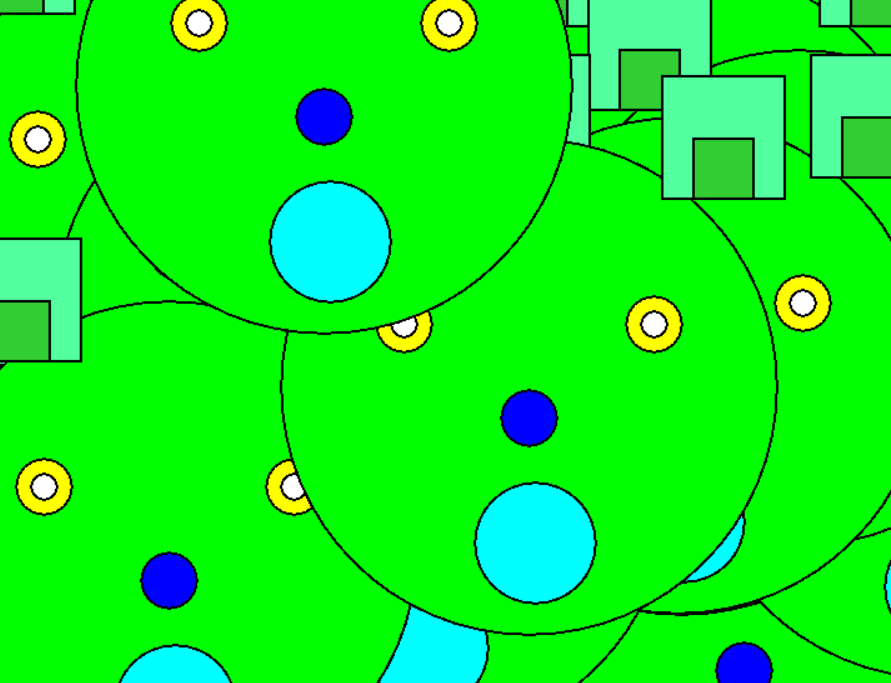
The dog subroutine invoked several times with random parameters.

Here, the main program invokes the random subroutine (100 times).  The random subroutine invokes the dog subroutine by passing random parameters to it.  The dog subroutine displays the dog on the screen at the coordinates passed as parameters.

@@main program 
{
    [ ]
    @random (100)
     
}

@@random
{
    [x,y]
    x:= rnd 1600
    y:= rnd 1400
    @dog [x,y]
    wait 20
}


@@dog [x,y]
{
    [ ]
    moveto(x,y) 
    colour green
    circle huge
    colour yellow
    moveby (-200, 100)
    circle small
    colour yellow
    moveby (400, 0)
    circle small
    colour white
    moveby (-400, 0)
    circle tiny
    colour white
    moveby (400, 0)
    circle tiny
    colour blue
    moveby (-200, -150)
    circle small
    colour cyan 
    moveby (10, -200)
    circle medium
    colour seagreen
    moveby (200, 550)
    square medium
    colour seagreen
    moveby (-550, 0)
    square medium
    colour lime
    moveby (50, 0)
    square small
    colour lime
    moveby (550, 0)
    square small
}


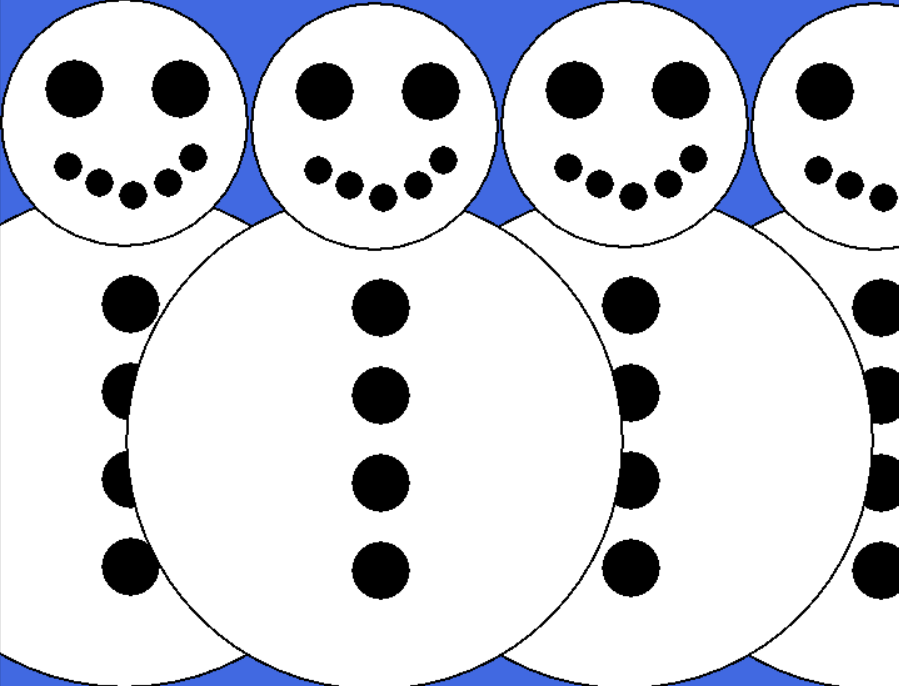
Subroutines invoked with fixed parameters.

Here the snowman subroutine has been invoked four times using fixed parameters.

@@main program 
{
    [ ]
     fill royalblue
    @snowman[100,508]
    @snowman[1300,503]
    @snowman[900,506]
    @snowman[500,503]
}
@@ snowman[x,y]
{
    [  ] 
    moveto(x,y)
    moveby (100,-65)
    colour white
    circle huge
    moveby (0,505)
    colour white 
    circle big
    moveby (90,55)
    colour black
    circle small
    moveby (-170,0)
    colour black
    circle small
    moveby (190,-110)
    colour black
    circle tiny
    moveby (-40,-40)
    colour black 
    circle tiny
    moveby (-55,-20)
    colour black
    circle tiny
    moveby (-55,20)
    colour black
    circle tiny
    moveby (-50,25)
    colour black
    circle tiny
    moveby (100,-220)
    colour black
    circle small
    moveby (0,-140)
    colour black 
    circle small
    moveby (0,-140)
    colour black
    circle small
    moveby (0,-140)
    colour black
    circle small
}

#shapes
#codinginschools

Kids code with SHAPES (a gallery)

SHAPES is a programming interpreter for #coding colourful images.   SHAPES allows children to think about programming commands, coordinates and geometric shapes.  The following images were all coded by year 7 children.  In the interest of sanity and brevity, I will only provide the code for some of the images.

Apologies if you are viewing on Tumblr (you won't see any images).
Cute Pig
@@pig 
{
    [ ]
    fill green
    moveto (310, 65)
    colour hotpink
    border-thickness 8 
    border-colour black
    rectangle 75, 225
    moveto (1060, 75)
    colour hotpink
    border-thickness 8
    border-colour black
    rectangle 75, 225
    moveto (430, 112)
    colour hotpink
    border-thickness 8
    border-colour black
    rectangle 60, 120
    moveto (956, 112)
    colour hotpink
    border-thickness 8
    border-colour black
    rectangle 60, 120
    moveto (720, 576)
    colour hotpink
    border-thickness 15
    circle 500, 500
    moveto (718, 500)
    ellipse 200, 300
    moveto (724, 320)
    ellipse 350, 250
    moveto (654, 645)
    colour white
    border-thickness 4 
    ellipse 50, 100
    moveto (768, 646)
    colour white 
    border-thickness 4 
    ellipse 50, 100
    moveto (766, 644)
    colour black
    ellipse 25, 50
    moveto (656, 640)
    colour black
    ellipse 25, 50
    colour black
    moveto (714, 1064)
    line-thickness 3
    drawto (686, 1090)
    drawto (720, 1104)
    drawto (660, 1118)
    drawto (744, 1146)
    drawto (658, 1148)
    moveto (604, 314)
    colour pink
    circle medium
    moveto (840, 316)
    colour pink
    circle medium
    moveto (644, 776)
    colour hotpink
    border-thickness 15
    border-colour black
    triangleto (548, 854) (580, 708)
    moveto (778, 780)
    colour hotpink
    border-thickness 15
    border-colour black
    triangleto (884, 838) (844, 724)
    moveto (32, 1118)
    colour white
    print  A PIG!  BY GEORGIA P
}

An angry bird
@@angry bird
{
    [ ]
    fill blue
    moveto (800,950)
    colour red
    ellipse angle 50,150,150
    moveto (720,950)
    colour red
    ellipse 50,150
    moveto (640,950)
    colour red
    ellipse angle 50,150,40
    moveto (720,576)
    colour red
    circle huge
    moveto (720,370)
    colour white
    ellipse 310,194
    colour orange
    moveto (540,525)
    triangleto (715,430) (900,525)
    colour orange
    moveto (540,525)
    triangleto (715,630) (900,525)
    colour white
    moveby (25,200)
    circle medium
    colour white
    moveby (300,0)
    circle medium
    colour black
    circle tiny
    colour black
    moveby (-300,0)
    circle tiny
    colour 128,0,0
    moveto (1020,575)
    ellipse 50,70
    colour 128,0,0
    moveto (430,575)
    ellipse 50,70
    moveto (460,800)
    colour black
    rectangle 190,60
    moveto (770,800)
    colour black
    rectangle 190,60
    moveto (380,150)
    colour white
    border-colour black
    print Angry Bird for Competition By Ryan
}


A Smurfette

Festive

Pig

On the road again (this is a good example of an animated shapes project as the traffic lights change colour...)

Sunset from the beach

Say "CHEESE!"

Beautiful Giraffe

Queen Elizabeth II.  (Do let me know what you think of the portrait, if you are reading this, Your Majesty.)

Cute

Look at those eyes!

How I look in the morning

City scape

Got the time

Football mad

Spongebob

Very cute

SHAPES

Here is a simple image created with SHAPES 9 a simple interpreter for creating simple images using programming statements.


Here is the source code:

@@main program
{
    [ ]
   fill black
    moveby(-680,-560)
    @dis_s [ 500, 200,100,150 ] (90)
    moveby(240,0)
    @dis_h [ 500, 100,200,50 ] (90)
    moveby(240,0)
    @dis_a [ 500, 100,000,200 ] (90)
    moveby(240,0)
    @dis_p [ 500, 200,000,00 ] (90)
   moveby(240,0)
    @dis_e [ 500, 100,50,200 ] (90)
   moveby(240,0)
    @dis_s [ 500, 200,200,0 ] (90)
 
   moveby(-1200,270)
@dis_s [ 400, 200,100,150 ] (70)
    moveby(240,0)
    @dis_h [ 400, 100,200,50 ] (70)
    moveby(240,0)
    @dis_a [ 400, 100,000,200 ] (70)
    moveby(240,0)
    @dis_p [ 400, 200,0,0 ] (70)
   moveby(240,0)
    @dis_e [ 400, 100,50,200 ] (70)
   moveby(240,0)
    @dis_s [ 400, 200,200,0 ] (70)

  
   moveby(-1200,270)
@dis_s [ 200, 200,100,150 ] (30)
    moveby(240,0)
    @dis_h [ 200, 100,200,50 ] (30)
    moveby(240,0)
    @dis_a [ 200, 100,000,200 ] (30)
    moveby(240,0)
    @dis_p [ 200, 200,0,0 ] (30)
   moveby(240,0)
    @dis_e [ 200, 100,50,200 ] (30)
   moveby(240,0)
    @dis_s [ 200, 200,200,0 ] (30)
  
   moveby(-1200,270)
@dis_s [ 200, 200,100,150 ] (30)
    moveby(240,0)
    @dis_h [ 200, 100,200,50 ] (30)
    moveby(240,0)
    @dis_a [ 200, 100,000,200 ] (30)
    moveby(240,0)
    @dis_p [ 200, 200,0,0 ] (30)
   moveby(240,0)
    @dis_e [ 200, 100,50,200 ] (30)
   moveby(240,0)
    @dis_s [ 200, 200,200,0 ] (30)
}


@@dis_s [ s, r,g,b ]
{
   [  ]
   @S [ s, r,g,b]
   s:= s -5
}

@@dis_h [ s, r,g,b ]
{
   [  ]
   @H [ s, r,g,b]
   s:= s -5
}

@@dis_a [ s, r,g,b ]
{
   [  ]
   @A [ s, r,g,b]
   s:= s -5
}


@@dis_p [ s, r,g,b ]
{
   [  ]
   @P [ s, r,g,b]
   s:= s -5
}


@@dis_e [ s, r,g,b ]
{
   [  ]
   @E [ s, r,g,b]
   s:= s -5
}


@@E [x,r,g,b]
{
     [ ]
    colour r,g,b
     border-thickness 0  
     square x
     moveby(0,x)
     square x
    moveby(0,x)
    square x
     moveby(0,x)
     square x
     moveby(0,x)
     square x
     moveby(x,0)
     square x
     moveby(x,0)
     square x
     moveby(-x,-2*x)
     square x
     moveby(x,0)
     square x
     moveby(-x,-2*x)
     square x
     moveby(x,0)
     square x
     moveby(x,0)

    #outline
    colour black
    moveby(-3*x,0)
    drawby(3*x,0)
    drawby(0,x)
    drawby(-2*x,0)
    drawby(0,x)
    drawby(2*x,0)
    drawby(0,x)
    drawby(-2*x,0)
     drawby(0,x)
    drawby(2*x,0)
    drawby(0,x)
    drawby(-3*x,0)
    drawby(0,-5*x)
}


@@P[x,r,b,g]
{
     [ ]
     colour r,g,b
     border-thickness 0
     square x
     moveby(0,x)
     square x
     moveby(0,x)
     square x
     moveby(0,x)
     square x
     moveby(0,x)
     square x
     moveby(x,0)
     square x
     moveby(x,0)
     square x
     moveby(0,-x)
     square x
     moveby(0,-x)
     square x
     moveby(-x,0)
     square x

     #outline
     colour black
     moveby(-x,-2*x)
     drawby(x,0)
     drawby(0,2*x)
     drawby(2*x,0)
     drawby(0,3*x)
     drawby(-3*x,0)
     drawby(0,-5*x)
     moveby(x,3*x)
     drawby(x,0)
     drawby(0,x)
     drawby(-x,0)
     drawby(0,-x)
     moveby(-x,-3*x)
}


@@A[ x,r,g,b]
{
     [ ]
     colour r,g,b
     border-thickness 0
     square x
     moveby (0,x)
     square x
     moveby (0,x)
     square x
     moveby (0,x)
     square x
     moveby (0,x)
     square x
     moveby(x,0)
     square x
     moveby(0, -2*x)
     square x
     moveby (x,-2*x)
     square x
     moveby (0,x)
     square x   
     moveby (0,x)
     square x   
     moveby (0,x)
     square x   
     moveby (0,x)
     square x   

    #outline
    colour black
    moveby(-2*x,-4*x)
    drawby(x, 0)
    drawby(0,2*x)
    drawby(x,0)
    drawby(0,-2*x)
    drawby(x,0)
    drawby(0,5*x)
    drawby(-3*x,0)
    drawby(0,-5*x)
    moveby(x,3*x)
    drawby(x,0)
    drawby(0,x)
    drawby(-x,0)
    drawby(0,-x)
    moveby(-x,-3*x)
}


@@H[ x,r,g,b]
{
     [ ]
     colour r,g,b
     border-thickness 0
     square x
     moveby (0,x)
     square x
     moveby (0,x)
     square x
     moveby (0,x)
     square x
     moveby (0,x)
     square x
     moveby(x, -2*x)
     square x
     moveby (x,-2*x)
     square x
     moveby (0,x)
     square x   
     moveby (0,x)
     square x   
      moveby (0,x)
     square x   
     moveby (0,x)
     square x   

    #outline
    colour black
    moveby(-2*x,-4*x)
    drawby(x, 0)
    drawby(0,2*x)
    drawby(x,0)
    drawby(0,-2*x)
    drawby(x,0)
    drawby(0,5*x)
    drawby(-x,0)
    drawby(0,-2*x)
    drawby(-x,0)
    drawby(0,2*x)
    drawby(-x,0)
     drawby(0,-5*x)
}

@@S [ x, r, g, b]
{
      [ ]
     colour r,g,b
     border-thickness 0
    square x
    moveby(x,0)
    square x
    moveby(x,0)
    square x
    moveby(0,x)
    square x
    moveby(0,x)
    square x
    moveby(-x,0)
    square x
    moveby(-x,0)
    square x
    moveby(0,x)
    square x
    moveby(0,x)
    square x
    moveby(x,0)
    square x
    moveby(x,0)
    square x
   
    #outline
    colour black
    moveby (-2*x,-4*x)
    drawby(3*x,0)
    drawby(0,3*x)
    drawby(-2*x,0)
    drawby(0,x)
    drawby(2*x,0)
    drawby(0,x)
    drawby(-3*x,0)
    drawby(0,-3*x)
    drawby(2*x,0)
    drawby(0,-x)
    drawby(-2*x,0)
    drawby(0,-x)
}

Village

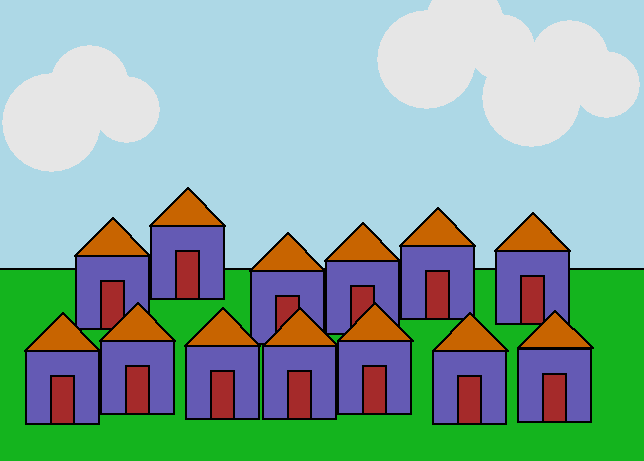
Here is a simple image created with SHAPES 9 a simple interpreter for creating simple images using programming statements.


and here is the source code that produced it.

@@main program
{
    [ ]
    fill lightblue
    colour 20,180,30
    rectangle 1500,500 (0,0)
    moveby(-500,-200)
    @myshape
    moveby(100,60)
    @myshape
    moveby(150,-90)
    @myshape
    moveby(100,20)
    @myshape
    moveby(100,30)
    @myshape
    moveby(140,-10)
    @myshape
    moveby(-990,-200)
    @myshape
    moveby(100,20)
    @myshape
    moveby(120,-10)
    @myshape
    moveby(105,0)
    @myshape
    moveby(100,10)
    @myshape
    moveby(140,-20)
    @myshape
    moveby(120,05)
    @myshape

    moveby (-980,600)
    @cloud
    moveby (600,100)
    @cloud
    moveby (60,-100)
    @cloud

}


@@myshape
{
    [ ]
    colour 100,90,180
    square 150
    moveby(-,150)
    colour 200,100,0
    triangleby (75,75)(150,0)
    moveby (50,-150)
    colour brown
    rectangle 50,100
}


@@cloud
{
   [ ]
   colour 230,230,230
   border-thickness 0
   circle 100
   moveby (75,75)
   circle 80
   moveby (75,-50)
   circle 70

}

Label

World Karma Game